
Summary
Keywords
Full Transcript
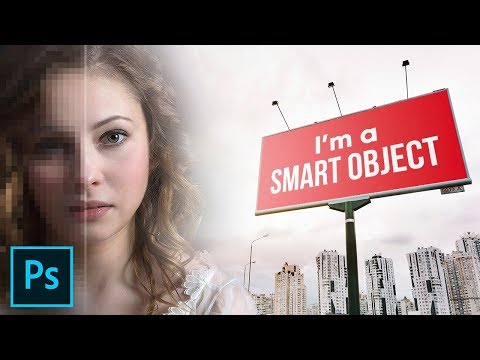
All You Need to Know About Smart Objects in Photoshop! This is THE MOST Comprehensive Guide including all the amazing tricks, techniques and ways you can use Smart Objects whether you are compositing, designing, or editing your images. Right from the core concepts to the most advanced applications, we will cover it all. Please refer the following index to guide you through the video. ► INDEX WITH TIMESTAMPS: 00:10 Why Do We Need Smart Objects? 00:21 Advantages of RAW Images as Smart Objects 02:39 Using ACR to Open RAW Image as a Smart Object 04:11 The ‘Pixel’ Concept of Smart Objects 07:54 Example of Smart Objects vs. Regular Raster Layers 10:35 Blur the Background with Smart Filters 14:48 The Power of Smart Groups 18:22 Creating Mockups with Smart Objects 23:49 Using ‘Replace Contents’ to Your Advantage 28:16 Embedded vs. Linked Smart Objects 35:38 Making Duplicate Smart Objects Unique 37:05 Creating a Smart Reflection 39:54 Limitations of Smart Objects 41:51 Conclusion and the Idea of Non-Destructive Editing Hope this video helps you :) Thank you for watching! ► DOWNLOADS: 1. Billboard Mockup Image: http://bit.ly/2oNwEHT 2. Composite Sample Image: http://bit.ly/2wPAJ2Y 3. Finished PSDs: http://bit.ly/2CvGdVJ (Only for our Patreon Family) ► RECOMMENDED TUTORIALS: 1. Blur the Background: https://youtu.be/9Hbha3mgTiA 2. Working with Mockups: https://youtu.be/zYZqekLTTM4 ► HELP US CREATE MORE FREE VIDEOS: Support us at Patreon: https://www.patreon.com/piximperfect ► SHARE: https://goo.gl/IUhnUl ►LET'S CONNECT: Facebook: http://facebook.com/piximperfect Twitter: https://twitter.com/piximperfect Instagram: https://www.instagram.com/piximperfect Google+: https://plus.google.com/+UnmeshDinda

Continue this lesson in the app
Install CourseHive on Android or iOS to keep learning while you move.





