
Summary
Keywords
Full Transcript
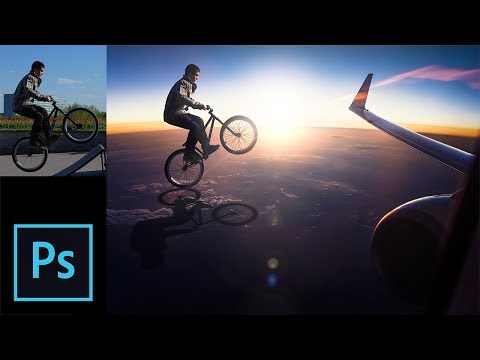
A Complete Guide to Creating a Photo Manipulation Composite in Photoshop! Right from selecting to changing the background, creating the shadow, matching the subject and applying special effects and filters, we are going to cover each and every step, one-by-one. First off, we will learn how to make precise selections using the Pen Tool. Then, along with some minor adjustments and fine-tuning, we will change the background. Next, we will learn a simple way to create a shadow that looks realistic. To make the subject match with the background, we will use Levels, Curves, and few other Adjustment Layers to blend the subject into the scene. In the end, we will learn how to apply some global special effects along with some filters and flares to that makes the elements of the composite come together as one whole image. I hope this tutorial helps. Thank you for watching :) ► RECOMMENDED TUTORIALS: 1. Master the Pen Tool in 30 Minutes: https://youtu.be/5kAQUNFZJXY 2. The BEST Way to Select Hair: https://youtu.be/T2D8EIh9Gus 3. How to Create Dramatic Backlight Effect: https://youtu.be/gVpcAX0HELg ► DOWNLOADS 1. Sample Images: https://goo.gl/EH6SPR 2. Finished PSD: https://goo.gl/tJkzi7 (Only for our Patreon Family) ► HELP US CREATE MORE FREE VIDEOS: Support us at Patreon: https://www.patreon.com/piximperfect ► SHARE: https://goo.gl/IUhnUl ►LET'S CONNECT: Facebook: http://facebook.com/piximperfect Twitter: https://twitter.com/piximperfect Instagram: https://www.instagram.com/piximperfect Google+: https://plus.google.com/+UnmeshDinda

Continue this lesson in the app
Install CourseHive on Android or iOS to keep learning while you move.





