
Summary
Keywords
Full Transcript
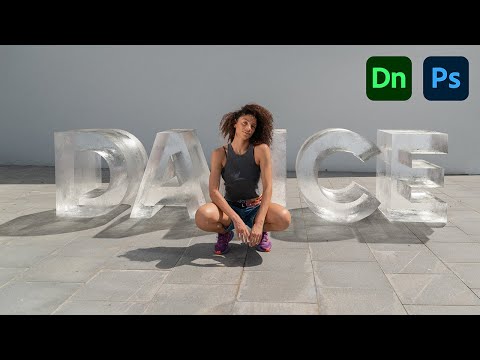
Create absolutely realistic 3D text in ice and add it to your photos with Adobe Dimension & Photoshop! In this video, we will first use Dimension to create the text in 3D, match the perspectives, and the lighting, and eventually add the ice material. Then, we will take the image into Photoshop for further matching and making the text stand out and look more realistic. I hope you enjoy this video. Thank you so much for watching :) ► TIMESTAMPS: 00:00 Photoshop Discontinuing 3D Features 00:55 Introduction 02:11 Matching the 3D Space & the Image 04:55 Adding the Text 06:07 Setting Up the Lighting & Shadows 08:03 Adding the Material 09:10 Rendering 09:31 Bringing the Subject Forward 10:48 Fixing the Shadows 11:51 Frosting the Ice 12:44 Adding Sparkle and Shine 14:35 Making the Text Stand Out 17:41 Recap & Conclusion ► SUPPORT THE CHANNEL & GAIN PREMIUM ACCESS: https://www.patreon.com/piximperfect ► RECOMMENDED SOFTWARE & GEAR: ✅ My Graphic Tablet: https://pix.live/wacom ✅ Recommended Budget Tablet: https://pix.live/wacomlite ✅ Try Photoshop for Free: https://pix.live/photoshop ✅ Artificial Intelligence Photo Editor: https://pix.live/luminarai ✅ Unlimited Photoshop Actions, Plugins, and Stock Photos: https://pix.live/envato ✅ Primary Microphone: https://pix.live/mic1 ✅ Second Microphone: https://pix.live/mic2 ✅ Audio Interface: https://pix.live/audiointerface ✅ Filmed with: https://pix.live/camera ✅ Lens: https://pix.live/lens ✅ Music: https://pix.live/music ✅ The App I Use for YouTube Growth: https://pix.live/ytapp ► PIXIMPERFECT MERCH STORE: https://teespring.com/stores/piximperfect ► PIXIMPERFECT ACTIONS: https://gumroad.com/piximperfect ► DOWNLOADS: 1. Sample Image: https://app.photoshopeasy.com/ice-text 2. Finished PSD: https://bit.ly/3kzGfP5 (Only for our Patreon Family) ► SHARE: https://goo.gl/IUhnUl ►LET'S CONNECT: Instagram: https://www.instagram.com/piximperfect Facebook: http://facebook.com/piximperfect Twitter: https://twitter.com/piximperfect

Continue this lesson in the app
Install CourseHive on Android or iOS to keep learning while you move.




