
Summary
Keywords
Full Transcript
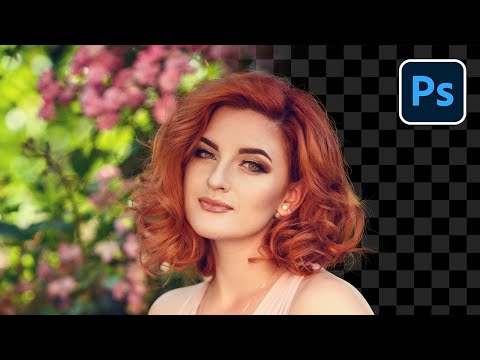
The Ultimate Guide to Select Hair in Photoshop! Cut out any kind of hair in any background and learn all the best techniques for every situation. In this tutorial, we will cover everything you need to know to master hair masking in Photoshop. Whether you have a busy background or a simple one, frizzy hair or a plain one, we will navigate every scenario through an easy-to-use flowchart to understand what technique to use when. I hope this lesson helps. Thank you so much for watching :) ► TIMESTAMPS 00:00 The Biggest Problem with Masking Hair! 00:50 It All Starts With Contrast 02:38 No Contrast & Hair Brush Technique 03:47 The Types of Contrast 04:09 Contrast of Regular Brightness 06:13 Contrast of Extreme Brightness 12:16 Color Contrast 20:03 Mix of Color and Brightness 20:39 Refining and Improving the Mask 22:43 3 Ways to Remove Halos 25:50 Thank You! ► DOWNLOAD PIXIMPERFECT HAIR BRUSHES: https://bit.ly/pixhairbrush ►LINKS TO MENTIONED TUTORIALS: HAIR BRUSH TECHNIQUE: 1. Cut Out Hair from Extremely Busy Background: https://youtu.be/42JXjWZ5fII 2. Cut Out Dark Hair from Dark Background: https://youtu.be/G030sJcK9oA REGULAR BRIGHTNESS CONTRAST: 1. Secret Buttons for Precise Hair Selection: https://youtu.be/yjIAr_g8Qpw EXTREME BRIGHTNESS CONTRAST: 1. Blend Modes for Realistic Hair Masking: https://youtu.be/MRhH2w6RWWQ 2. The BEST Way to Select Fur: https://youtu.be/-cc0aQnO_kk REMOVING HALOS: 1. Use SMUDGE Tool for Perfect Selections: https://youtu.be/zS0tsFrmNMk 2. Remove Fringes After Cutting Out Hair: https://youtu.be/uIcQQbJAOF8 3. The Hidden "Halo Removal" Slider: https://youtu.be/LNAUh3MfVBs 4. A FAST Way to Remove Color Fringing on Hair/Fur: https://youtu.be/67paSOVpiHM 5. 2 Surprising Tools to Remove Halos Easily: https://youtu.be/kmFL4Y2RBXM ► RECOMMENDED SOFTWARE & CREATIVE RESOURCES: ✅ The Best A.I. Powered High-End Portrait Retouching Plugins: https://pix.live/retouch4me ✅ Unlimited Photoshop Actions, Plugins, Brushes, Assets, etc: https://pix.live/envato ✅ The Best Professional Plugin for Color Grading: https://pix.live/infinitecolor ✅ The Best Professional Plugin for Skin Tones: https://pix.live/unify ✅ Best Plugin for Landscape & Astrophotography: https://pix.live/propanel ✅ Try Photoshop for Free: https://pix.live/photoshop ✅ The App I Use for YouTube Growth: https://pix.live/ytapp ✅ Music Used in PiXimperfect Videos: https://pix.live/music ► THE GEAR I USE: ✅ My Graphic Tablet: https://pix.live/wacompro ✅ Recommended Budget Tablet: https://pix.live/wacomlite ✅ Primary Microphone: https://pix.live/mic1 ✅ Budget Microphone: https://pix.live/mic2 ✅ Audio Interface: https://pix.live/audiointerface ✅ Camera: https://pix.live/camera ✅ Lens: https://pix.live/lens ► ASSET DOWNLOADS: Sample Images: https://bit.ly/3ONZWk0 ► SHARE: https://goo.gl/IUhnUl ► LET'S CONNECT: Instagram: https://www.instagram.com/piximperfect Facebook: http://facebook.com/piximperfect Twitter: https://twitter.com/piximperfect

Continue this lesson in the app
Install CourseHive on Android or iOS to keep learning while you move.





