
Summary
Keywords
Full Transcript
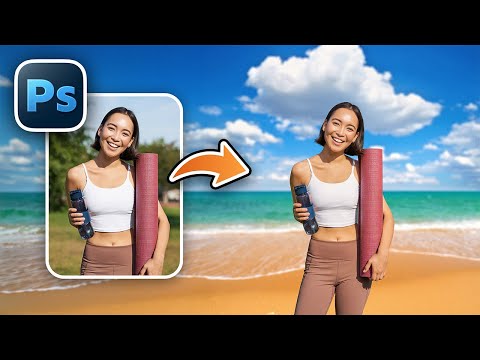
Learn how to change the background in Photoshop fast, easily, and precisely, and match the subject perfectly with the new background! 🚀 Join PiXimperfect Pro - The Ultimate Photoshop Training Course: https://pix.live/pro In this video, I'll show you a complete, professional workflow to not only replace a background using Photoshop's latest automatic tools, but also match the subject seamlessly to the new scene. We'll go beyond a simple cutout and dive into aligning the horizon, fixing edges and halos, matching depth with realistic background blur, adjusting brightness and color, adding noise for realism, and even correcting the direction of light so the composite holds up under close inspection. This is the kind of process that usually takes 30 minutes or more, condensed into a clear, practical workflow you can use for high-resolution, high-quality results. If you want background changes that stay believable even when you zoom in, this one's for you. I hope this video helps you. Thank you so much for watching :) ► TIMESTAMPS: 00:00 Stack the Elements 00:24 Cut Out the Subject 00:59 Match Perspective 02:56 Fix the Edges 04:55 Blur the New Background 06:23 Match the Lighting 06:54 Apply a Global Effect 07:26 Don't Ignore Grain 08:19 Refine the Mask If Needed 08:56 Light Direction ► RECOMMENDED SOFTWARE & CREATIVE RESOURCES: ✅ Official PiXimperfect Compositing Plugin: https://pix.live/pixcomposite ✅ The Best A.I. Powered High-End Portrait Retouching Plugins: https://pix.live/retouch4me ✅ Unlimited Photoshop Actions, Plugins, Brushes, Assets, etc: https://pix.live/envato ✅ The Best Professional Plugin for Color Grading: https://pix.live/infinitecolor ✅ Try Photoshop for Free: https://pix.live/photoshop ✅ Music Used in PiXimperfect Videos: https://pix.live/music ► THE GEAR I USE: ✅ My Graphic Tablet: https://pix.live/wacompro ✅ Recommended Budget Tablet: https://pix.live/wacomlite ✅ Primary Microphone: https://pix.live/mic1 ✅ Budget Microphone: https://pix.live/mic2 ✅ Audio Interface: https://pix.live/audiointerface ✅ Camera: https://pix.live/camera ✅ Lens: https://pix.live/lens ► DOWNLOADS: 1. Sample Image: https://pix.live/changebgsample 2. Finished PSD: https://pix.live/changebgpro (Only for PiXimperfect Pro Members) ► LET'S CONNECT: Instagram: https://www.instagram.com/piximperfect Facebook: http://facebook.com/piximperfect Twitter: https://twitter.com/piximperfect

Continue this lesson in the app
Install CourseHive on Android or iOS to keep learning while you move.




