
Summary
Keywords
Full Transcript
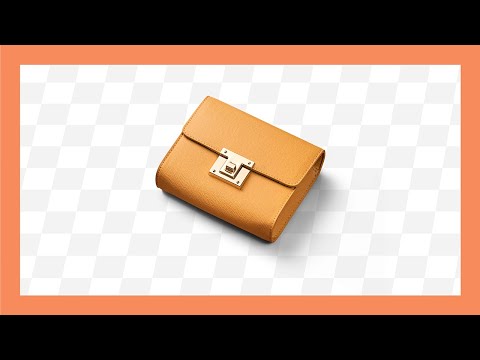
Create Transparent PNGs with Shadows Already Built-in, with Photoshop! Learn how to extract shadows and embed the same in a transparent PNG file. This way, the object is ready to be placed anywhere without having to worry about creating shadows. In this tutorial, we will use the Color Range feature to sample the original shadows to help us create the most realistic shadow possible. We will also learn how to remove color casts before isolating the object so that it becomes versatile with any background. I hope this video helps you. Thank you so much for watching :) ►CHECK OUT ENVATO ELEMENTS & GET 70% OFF FOR THE FIRST MONTH: https://1.envato.market/c/1221072/298927/4662?subId1=70_coupon&subId2=hyperlink_description_txt&subId3=https%3A%2F%2Felements.envato.com%2Fsubscribe&u=https%3A%2F%2Felements.envato.com%2Fsubscribe?coupon_code=elements_pp2_9firstmonth ► DOWNLOADS: 1. Sample Images: https://bit.ly/36dhVgy 2. Finished PSD: https://www.patreon.com/posts/42075981 (Only for our Patreon Family) ► HELP US CREATE MORE FREE VIDEOS: Support us at Patreon: https://www.patreon.com/piximperfect ► SHARE: https://goo.gl/IUhnUl ►LET'S CONNECT: Facebook: http://facebook.com/piximperfect Twitter: https://twitter.com/piximperfect Instagram: https://www.instagram.com/piximperfect

Continue this lesson in the app
Install CourseHive on Android or iOS to keep learning while you move.




