
Summary
Keywords
Full Transcript
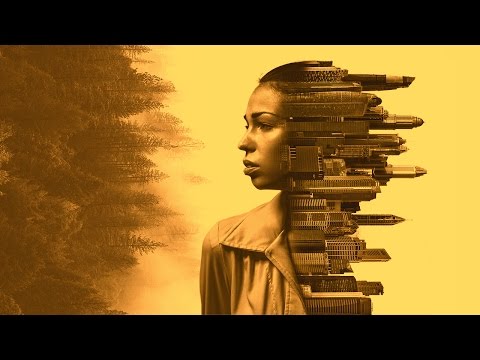
Learn how to create an abstract double exposure photo manipulation in Photoshop using some of the most basic concepts of masking, adjustment layers, and blending options. In this compositing Photoshop tutorial, we will also learn how to apply some cool photo effects using Color Lookup Adjustment Layer. ► DOWNLOADS: 1. Free Download - The 4 Images to Get Started: https://goo.gl/Aov9QK 2. Get the Finished PSD Here: https://goo.gl/jGf7O8 ► PiXimperfect is free, and will always be. Support the cause: https://www.patreon.com/piximperfect If you think you can help, entertain or even disturb someone by sharing this channel's video. Go ahead! : https://goo.gl/IUhnUl ► SUBSCRIBE: https://goo.gl/iaROYY ►LET'S CONNECT: Facebook: http://facebook.com/piximperfect Twitter: https://twitter.com/piximperfect Instagram: https://www.instagram.com/piximperfect Google+: https://plus.google.com/+UnmeshDinda

Continue this lesson in the app
Install CourseHive on Android or iOS to keep learning while you move.





