Summary
Keywords
Full Transcript
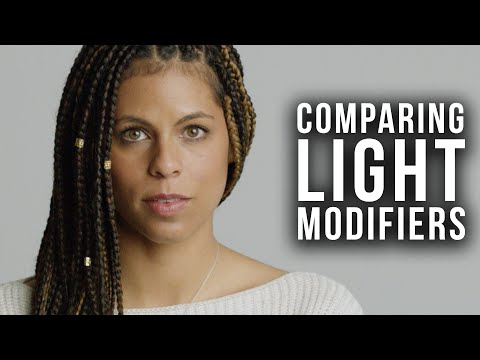
Stay tuned to the end for a chance to win a prize! Being able to shape your light is one of the fundamentals skills needed in cinematography. There are many different ways of modifying light, as well as many different tools that help you shape your light in distinct ways!Some make your light harder, while others make light softer. It is important to know the difference between each tool and the effect that it will create in your light. Today, cinematographer and photographer Shawn Corrigan teaches us how to use four different tools for modifying light; grids, fresnels, umbrellas, and beauty dishes! In this video, Shawn shows us how to use four different light modifiers. In our first setup, he uses the light without any modifier, and shows us what the bare bulb effect has on an actor. In our second setup, Shawn shows us how to use a fresnel attachment to modify light, and how different fresnels create different effects. In the third setup, he shows us how to use photography umbrellas as light modifiers, and how to use this modifier correctly. In the fourth and last setup, Shawn shows us what a beauty dish is and how best to use on for lighting an actor. The main techniques that we will be discussing today are getting the light as close to the subject as possible, getting the light as large as possible, and how to properly use each modifier. Getting the light as close as possible means bringing the light as close to the actor as you can, before the light is in frame. This will help make the light softer on the face. Getting the light as large as possible means choosing a modifier that creates the largest light source out of your light; This makes the light wrap more around the actors face and eliminate harsh shadows. Proper use of the modifier refers to how one should place the modifier on their light, to best utilize the properties of a given modifier. Ultimately, as cinematographers, we want to create the most pleasing light possible, and this often means the softest. With hard lighting sources, the best way to make that light softer is to modify it with one attachment or another. There are many different kinds of modifiers out there and some make your light harder and some make it softer. This is just one more tool, you have at your disposal, to use to create the best lighting for each character. There is almost always a way to make the light falling on someone's face more flattering, and this video will help you better understand how to do that! Remember: It is also essential to be able to embrace the type of lighting that will complement the talent's face and best tell the story. Connect with Shawn: https://www.instagram.com/shawn_corrigan/ Connect with Skye: https://www.instagram.com/skyedonielle/ Connect with Anes: https://www.instagram.com/honestlyanes/ Connect with Valentina: https://www.twitter.com/valentinavee Connect with Chetco: https://www.instagram.com/thechetco/ Want more free lighting and cinematography tutorials? Subscribe to us so you never miss an episode: https://goo.gl/QwazdM 🎥How to Light the Cinematic Film Look! https://youtu.be/oy2wGhuVqoY 🎥Free Cinematography Lessons From Experts! https://www.youtube.com/playlist?list... 🎥Subscribe to Aputure: https://www.youtube.com/aputurephoto https://www.facebook.com/aputure https://www.instagram.com/aputuretech https://www.twitter.com/aputuretech 🎥Connect with the A-Team! Ted - https://instagram.com/aputure_ted Benny - https://instagram.com/aputure_benny 🎥GET APUTURE GEAR: http://lddy.no/3dkv 🎥MUSIC: http://bit.ly/pb_aputure 🎥GRAPHICS: http://bit.ly/Aputure_RS Summary: Aputure's YouTube channel provides free high-quality cinematography, lighting, and filmmaking educational content to help you take your film projects to the next level.

Continue this lesson in the app
Install CourseHive on Android or iOS to keep learning while you move.