Summary
Keywords
Full Transcript
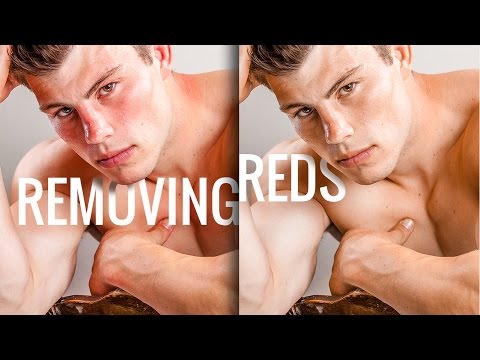
Take out the red pigments from skin or face in Photoshop. In this video, we are going to use selective Hue/Saturation Adjustment Layer to first make a selection and analyze the reds of the skin, and then modify it accordingly so as to reduce it. Red pigments on the skin can make portraits look distracting. The key to getting best results using this method is to have a precise selection of the range of reds on skin. Once the selection is on point, you can easily do whatever you want with the reds, non-destructively. ► SUBSCRIBE: https://goo.gl/iaROYY If you think you can help, entertain or even disturb someone by sharing this channel's video. Go ahead! : https://goo.gl/IUhnUl ►LET'S CONNECT: Facebook: http://facebook.com/piximperfect Twitter: https://twitter.com/piximperfect Instagram: https://www.instagram.com/piximperfect Google+: https://plus.google.com/+UnmeshDinda

Continue this lesson in the app
Install CourseHive on Android or iOS to keep learning while you move.