Summary
Keywords
Full Transcript
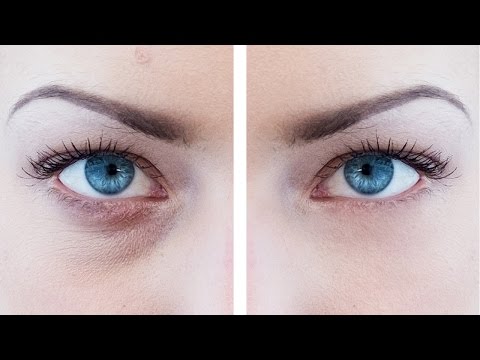
Learn how to naturally remove eye bags in Photoshop CC 2017. Retouching dark circles around the eyes can be divided into two parts: removing the wrinkles and lightening up the dark skin tone under the eyes. In this video, we are going to use the combination of patch tool and clone stamp tool in a completely new way in order to get rid of dark circles and fix bags under eyes. Here's the thing guys, retouching eye bags is different for males and females. In the case of females, you might want to totally get rid of those wrinkles but in males, it is a sign of masculinity. Hence, instead of removing it, we will preferably reduce it. ► SUBSCRIBE: https://goo.gl/iaROYY If you think you can help, entertain or even disturb someone by sharing this channel's video. Go ahead! : https://goo.gl/IUhnUl ►LET'S CONNECT: Facebook: http://facebook.com/piximperfect Twitter: https://twitter.com/piximperfect Instagram: https://www.instagram.com/piximperfect Google+: https://plus.google.com/+UnmeshDinda

Continue this lesson in the app
Install CourseHive on Android or iOS to keep learning while you move.