
Summary
Keywords
Full Transcript
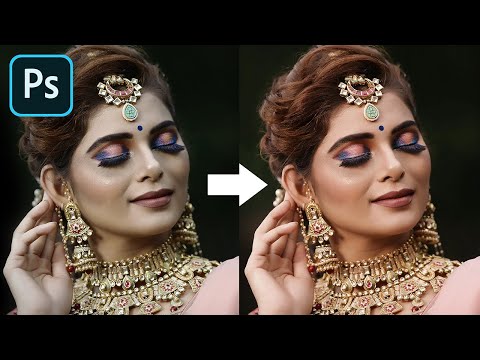
Get Perfect Skin Tone on Every Portrait with This Cheat Code in Photoshop! Using Skin Color Palettes, we will learn to match the skin to a standard set of tones to get a warmer, richer, and appealing skin tone. With the power of sampling and Curves, we can easily match the skin to any reference in less than 3 minutes! I hope this tutorial helps you. Thank you so much for watching :) ► DOWNLOAD THE SKIN COLOR PALETTES HERE: http://bit.ly/pixskinpalettes ► ADDITIONAL DOWNLOADS: 1. Sample Image: https://bit.ly/2ZwenSv 2. Finished PSD: https://bit.ly/2F9ItUy (Only for our PiXimperfect Patreon Members) ► HELP US CREATE MORE FREE VIDEOS: Support us at Patreon: https://www.patreon.com/piximperfect ► SHARE: https://goo.gl/IUhnUl ►LET'S CONNECT: Facebook: http://facebook.com/piximperfect Twitter: https://twitter.com/piximperfect Instagram: https://www.instagram.com/piximperfect

Continue this lesson in the app
Install CourseHive on Android or iOS to keep learning while you move.




