
Summary
Keywords
Full Transcript
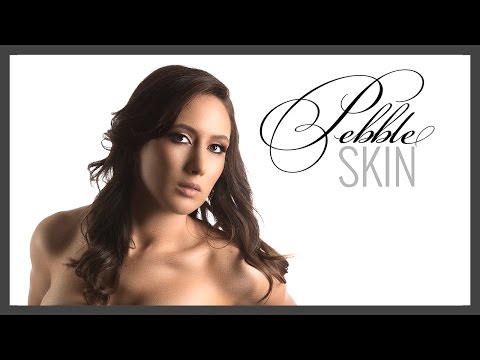
Replace the Skin with a Brand New Texture that's trending these days in Photoshop. In this video, we'll learn how to create a pebble-like skin texture that you might have witnessed in advertisements, fashion magazines, or billboards. ► DOWNLOAD SIMILAR IMAGE FOR PRACTICE: https://goo.gl/lnXyEk The idea for this glamorous skin texture was given by Sandy Walker (Portrait and Pet Photographer) and a beautiful ad on Amazon. Creating a new skin texture in Photoshop has its own challenges. It is essential that you first remove the existing skin texture. Otherwise, the mixture is bound to look funky. Next, the values that I'm going to use will most probably be different for your image. So, you need to perform some trial and error and play with sliders to get it right according to your artistic call. Since the tutorial is a long one, I have divided this video into three segments. In the first segment, I'll straightforwardly tell you how to get this texture and that's it. You're done. In the second segment, we'll learn how to create a pattern so that you can apply the skin texture in any image you want with just one preset and have the full ability to control all aspects of it. The third part is where things get interesting! In the third part, I'll explain how I figured out this technique. This is essential if you want to seriously get into Photoshop and invent your own techniques. This is similar to learning the piano by ear, so that no matter what song somebody throws at you, you are able to get it on the keys. ► SUBSCRIBE: https://goo.gl/iaROYY If you think you can help, entertain or even disturb someone by sharing this channel's video. Go ahead! : https://goo.gl/IUhnUl ►LET'S CONNECT: Facebook: http://facebook.com/piximperfect Twitter: https://twitter.com/piximperfect Instagram: https://www.instagram.com/piximperfect Google+: https://plus.google.com/+UnmeshDinda

Continue this lesson in the app
Install CourseHive on Android or iOS to keep learning while you move.





