
Summary
Full Transcript
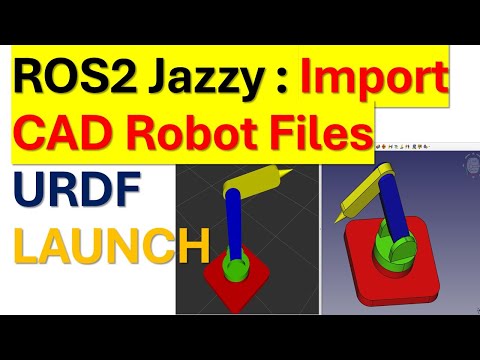
#ros2 #ros2jazzy #robotics #mechatronics #machinelearning #aleksandarhaber Manual, CAD, and Python files are here: https://ko-fi.com/s/b69cd7128d In this Robot Operating System 2 (ROS2) Jazzy tutorial, we explain (1) How to import an external robot 3D CAD geometry from a CAD file into ROS2 Jazzy Jalisco. (2) How to create a minimal Unified Robot Description Format (URDF) file and a model for displaying the CAD model. (3) How to create a ROS2 Jazzy package and a launch file for visualizing the CAD model. (4) How to visualize the robot geometry in RViz and ROS2 Jazzy Jalisco. Explanation of the terms: - URDF file format is a widely used XML file format for describing the geometry and configuration of robots. It is used in ROS and Gazebo to define the geometry, joints, and configuration of robots. - RViz is a 3D visualization tool (and more than that) for ROS2. - Launch files are ROS2 files that are used to configure and run at the same time a number of ROS2 nodes and other components of a ROS2 system. For example, with a single launch file you can run a number of different nodes and components for controlling a mobile robot.

Continue this lesson in the app
Install CourseHive on Android or iOS to keep learning while you move.




![SEO Course [2026 Updated]](https://i.ytimg.com/vi/HeeUHugrG5U/hqdefault.jpg)
