
Summary
Keywords
Full Transcript
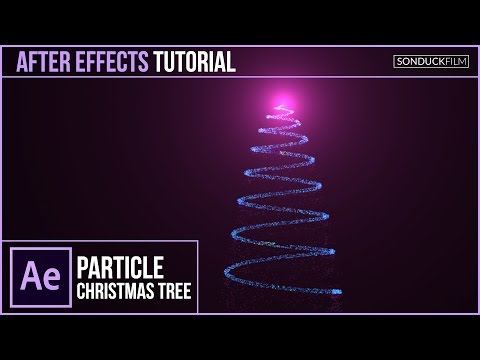
For our christmas tutorial series, we will create a particle christmas tree in After Effects. You will need Adobe Illustrator and Trapcode Particular. Optical Flares is optional. This particle motion graphic can be great for logo animations to put at the end of videos. It is holiday season and adding a particle christmas tree will add the spirt to your Animation! Visit our website https://www.sonduckfilm.com for more tutorials, giveaways and film and photo gear! Download Project Files Here: http://www.sonduckfilm.com/tutorials/after-effects-particle-christmas-tree-animation/ Social Media: Support us on Patreon: https://www.patreon.com/sonduckfilm Drop a like on Facebook: https://www.facebook.com/sonduckfilm Hit me up on Instagram: http://instagram.com/sonduckfilm Follow me on Twitter: https://twitter.com/SonduckFilm Connect with me on Linkedin: https://www.linkedin.com/in/joshnoel Suggested After Effects Tutorials: 80’s Intro Advanced: https://youtu.be/uGxruFKgt6U Christmas 3D Snow World: https://youtu.be/sBgrIJt1mjA Photo Collage Animation: https://youtu.be/Ixp32jcI4lA Particle Reveal Along a Path: https://youtu.be/81oz2rtAtYk Lighting 101: https://youtu.be/nUP0kfoMqNY How I made my Youtube Intro: https://youtu.be/DN8oUBrsFzI

Continue this lesson in the app
Install CourseHive on Android or iOS to keep learning while you move.




![SEO Course [2026 Updated]](https://i.ytimg.com/vi/HeeUHugrG5U/hqdefault.jpg)
