
Summary
Keywords
Full Transcript
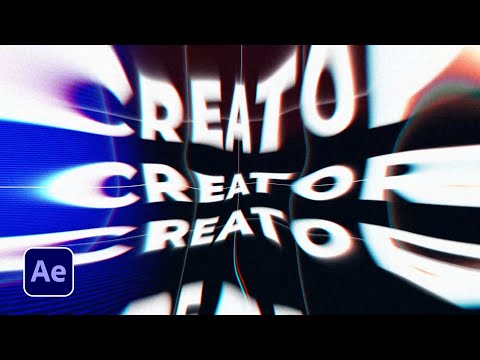
One of my goals for this year is to create crazy creative effects. So in this After Effects tutorial, I want to share 5 really creative effects for 2021. Learn several awesome motion graphic techniques to help produce a strong sense of style. You can use any of these effects for just about any project or use all of them. Your choice. But nonetheless, this After Effects tutorial will show you many creative ways to increase the value of your motion graphic projects! ► Check out our 650 Motion Graphics Starter Pack here: http://bit.ly/2SL9Qdm Over 650 elements ranging from accent motion graphics, titles, and backgrounds! Start saving hours of time and producing awesome work easily with the Motion Graphics Starter Pack! ► Our Other After Effects & Premiere Pro Template packs 200 Accent Graphics Pack: https://bit.ly/2yRH5mu 100 Title Pack: https://bit.ly/100TitlePack 200 Animated Backgrounds: https://bit.ly/AnimatedBackgrounds 3 in 1 Bundle: https://bit.ly/3PackBundle ► Down This Tutorial's Project File & Follow Along: https://www.sonduckfilm.com/tutorials/creative-effects/ ► Download Unlimited Project Files With Envato Elements and get the first month 70% off by signing up through our link here: http://bit.ly/UnlimitedElements70 ► Glitch Distortions used in this tutorial: http://bit.ly/39SRblp ► Social Media: Hit me up on Instagram: http://instagram.com/sonduckfilm Drop a like on Facebook: https://www.facebook.com/sonduckfilm Follow me on Twitter: https://twitter.com/SonduckFilm Connect with me on Linkedin: https://www.linkedin.com/in/joshnoel #SonduckFilm #AfterEffects #MotionGraphics Timecode: 0:00 Intro – Smash The Like Button :) 0:35 Technique One –Seamless Title 2:01 Technique Two - Grid & Background 2:54 Technique Three - Distort Effects I 4:32 650 After Effects Motion Graphics Starter Pack 5:57 Technique Three – Distort Effects II 7:58 Technique Four – RGB Blur 8:57 Technique Five - Big Noise 10:15 Bonus Technique - Overlay Distortions 11:26 Outro - Please Subscribe :)

Continue this lesson in the app
Install CourseHive on Android or iOS to keep learning while you move.




![SEO Course [2026 Updated]](https://i.ytimg.com/vi/HeeUHugrG5U/hqdefault.jpg)
