
Summary
Keywords
Full Transcript
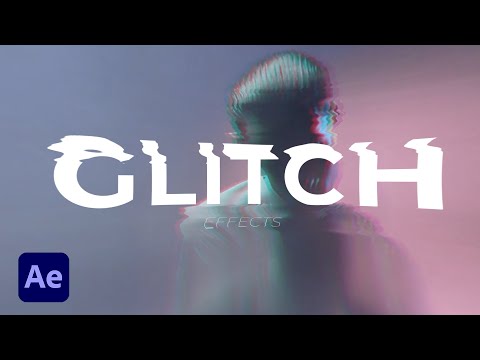
There are many ways to create glitch effects. So many techniques. In this video we go 3 different approaches to quickly creating glitch effects in After Effects. This tutorial breakdown how to create glitch effects for titles, logos, and other graphics! In our second technique, we create glitch effects for video and full motion graphic compositions. And lastly, we create a glitch transitions to tie multiple video and graphics together. ► Best Glitch Templates For Your Projects: 700 Glitch Transitions For After Effects: https://bit.ly/700GlitchTransitions 100 Glitch Overlays For After Effects: https://bit.ly/100GlitchPack Best Glitch Logo Animations: https://bit.ly/BestGlitchLogos ► Download This Tutorial's Project File Here: https://www.sonduckfilm.com/tutorials/3-glitch-effects-in-after-effects-for-video-graphics/ ► Check out our 500+ Motion Graphics Starter Pack here: http://bit.ly/2SL9Qdm Over 500+ elements ranging from accent motion graphics, titles, and backgrounds! Start saving hours of time and producing awesome work easily with the Motion Graphics Starter Pack! ► We have other packs too! 100 Title Pack: https://bit.ly/100TitlePack 200 Accent Graphics Pack: https://bit.ly/2yRH5mu 3 in 1 Bundle: https://bit.ly/3PackBundle ► Download Unlimited Project Files With Envato Elements: https://bit.ly/3fVAKqm ► Social Media: Hit me up on Instagram: http://instagram.com/sonduckfilm Drop a like on Facebook: https://www.facebook.com/sonduckfilm Follow me on Twitter: https://twitter.com/SonduckFilm Connect with me on Linkedin: https://www.linkedin.com/in/joshnoel #SonduckFilm #AfterEffects #MotionGraphics Timecode: 0:00 Intro 0:36 One - Glitch Titles and Logs 3:56 Two - Video Distortion 7:23 Three - Glitch Transition 10:30 Outro - Please Subscribe :)

Continue this lesson in the app
Install CourseHive on Android or iOS to keep learning while you move.




![SEO Course [2026 Updated]](https://i.ytimg.com/vi/HeeUHugrG5U/hqdefault.jpg)
