Summary
Keywords
Full Transcript
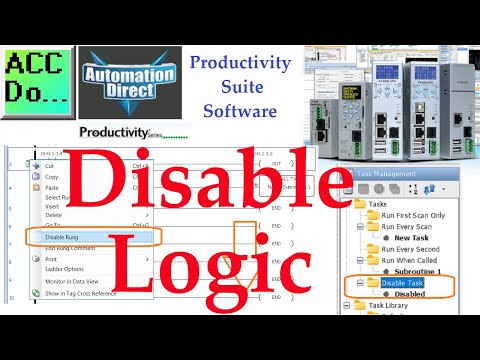
Productivity PLC Disable Logic There are three ways to disable a portion of your ladder logic code in the Productivity Suite programming software. 1. Any ladder logic placed below an END instruction will not be scanned, therefore disabled. 2. If you have specific sections of code that you may enable or disable based on the project you are currently working on, place those in a separate Task. Simply drop that Task in the Disable Task folder and it will not be scanned. You can pull Tasks out and place them back into an actively scanned folder when you need them. 3. Highlight a rung(s) in the ladder logic, then right-click and chose "Disable Rung". Your disabled rung can be visually seen but not scanned. Programming and examples of the Productivity series can be found at this URL: https://accautomation.ca/series/productivity-1000-plc/ Productivity offers three distinct form factors with two being rack-based and one being stackable. Each series offers different I/O capacities but all use the same programming software, allowing you to easily scale your control up or down depending on the application or machine building. The productivity suite software provides versatile programming with tag name addressing that has no predefined memory structure, and offers convenient device integration for easy plug-and-play operation with our PS-AMC motion controllers, GS drives, Protos X field I/O, and StrideLinx VPNs. A few of the Features: - Tag name-based programming with 50MB user memory - Numerous built-in communication options including Ethernet, serial, USB, remote, and local expansion - Web server and mobile access - OLED/LCD module data displays (P2000/P3000) - Integrated motion controller, GS drive, StrideLinx VPN, and Protos X field I/O support - External microSD data logging - Scalable platforms from 128 to over 59K I/O points with analog, discrete, pulse width modulation, and high-speed options - ABS certified for marine applications (P2000/P3000) - Project simulator - Easy-to-use coordinated motion control with the PS-AMC motion controllers and built-in motion instructions General information on the Productivity PAC series of controllers: https://www.automationdirect.com/adc/overview/catalog/programmable_controllers/productivity_series_controllers PLC (PAC) Selector and Configuration: https://www.automationdirect.com/systembuilder #shorts ACC Automation https://accautomation.ca/

Continue this lesson in the app
Install CourseHive on Android or iOS to keep learning while you move.