
Summary
Keywords
Full Transcript
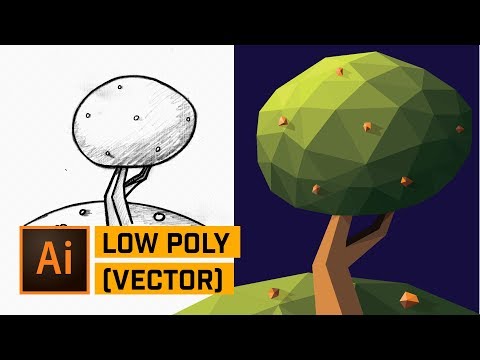
CREATE LOW POLY TREE SCENE ICON IN ADOBE ILLUSTRATOR! | Check out how to use the Pen Tool and draw triangles auto-clicked together and then build out a color scheme quickly to create a compelling piece of artwork. Sketch Download Link: http://bit.ly/2CzLQ0J 💰 Buy the Photoshop Course and Support the Channel → http://bit.ly/28NuwFy 🏆 My Instagram: http://instagram.com/tutvid 🎯 Subscribe for Daily Tutorials → https://goo.gl/DN4Nln – In this Illustrator tutorial, we’ll begin with a simple sketch I made of something as similar to the app icon for an app called Namoo. We will then use the Pen Tool to draw a grid of triangles and then we’ll move and stack the shapes to create full shapes and then develop a full color scheme that we will apply to our shapes. We’ll work with greens, tans, browns, and some orange colors to colorize the leaves, the trunk/branch, create multiple shadows to add depth and shape to the low poly artwork that we’re creating. ⚡️ written tutorial here: http://bit.ly/2CILB6M INSTAGRAM: http://instagram.com/tutvid TWITTER: http://twitter.com/tutvid FACEBOOK: https://www.facebook.com/tutvid SNAPCHAT: tutvid.com tutvid is a YouTube channel dedicated to creating the best Adobe Photoshop, Premiere Pro, Lightroom, and Illustrator tutorials. My goal is to create the best, most informative, and entertaining tutorials on the web. If you enjoy my videos, the best way to support what I do here is to purchase my course linked above or simply subscribe to the YouTube channel by pressing the red button. ✉️ business inquiries: [email protected] –

Continue this lesson in the app
Install CourseHive on Android or iOS to keep learning while you move.




![SEO Course [2026 Updated]](https://i.ytimg.com/vi/HeeUHugrG5U/hqdefault.jpg)
