
Summary
Keywords
Full Transcript
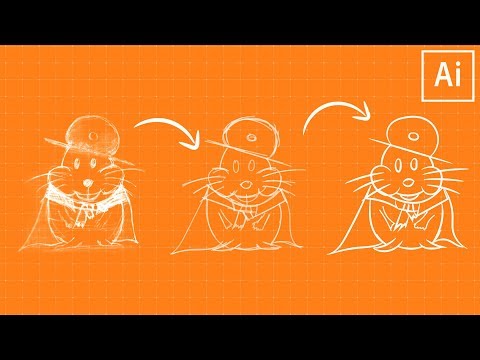
LEARN TO MAKE YOUR PENCIL SKETCHES INKED ARTWORK IN ILLUSTRATOR! | We’ll create some custom brushes and work with opacity to create some nice looking strokes. 💰 Buy the Photoshop Course and Support the Channel → http://bit.ly/28NuwFy 🏆 My Instagram: http://instagram.com/tutvid 🎯 Subscribe for Daily Tutorials → https://goo.gl/DN4Nln – In this Illustrator tutorial, we’ll use a sketch that has been scanned into our computer and create a series of rough sketches over it first and once we’ve settled on an initial sketch that we like we’ll create an art brush and use that to create thick, inked lines over our rough sketching. Once we’ve got out inked lines, I’ll show you the merging trick that I use with the Shaper Tool to help clean up the lines where it is needed. Hope you enjoy this video! ⚡️ written tutorial here: http://bit.ly/2hnCc8u INSTAGRAM: http://instagram.com/tutvid TWITTER: http://twitter.com/tutvid FACEBOOK: https://www.facebook.com/tutvid SNAPCHAT: tutvid.com tutvid is a YouTube channel dedicated to creating the best Adobe Photoshop, Premiere Pro, Lightroom, and Illustrator tutorials. My goal is to create the best, most informative, and entertaining tutorials on the web. If you enjoy my videos, the best way to support what I do here is to purchase my course linked above or simply subscribe to the YouTube channel by pressing the red button. ✉️ business inquiries: [email protected] –

Continue this lesson in the app
Install CourseHive on Android or iOS to keep learning while you move.



![Curso de Adobe Premiere Pro [Gratis y Certificado] - Edutin Academy](https://i.ytimg.com/vi/RHpxq64K6tA/hqdefault.jpg)
