
Summary
Keywords
Full Transcript
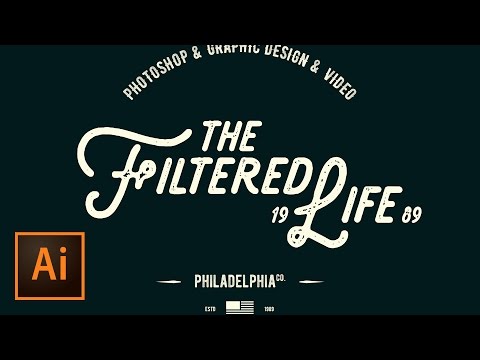
SIMPLE LOGO DESIGN TUTORIAL | Use graphic resources to quickly build logo mark | Lettering style logo design 🔥 ↓ VIDEO GUIDE ↓ 🔥 00:18 Principles of creating a simple logo in Illustrator 03:00 Creating our Illustrator document 04:59 Working on screen vs. working from a sketch 06:03 Laying out the text with the Type tool 07:26 Dividing the text into multiple text fields and laying it out 09:25 Creating type on a path 13:14 Adding tagline beneath the logo 14:48 Use the Pen tool to create a few decorations 16:58 Creating the American flag icon 20:53 Adding additional accent text 22:00 Adding a little more text 🎯 Subscribe for Daily Tutorials → https://goo.gl/DN4Nln 💰 Buy the Photoshop Course and Support the Channel → http://bit.ly/28NuwFy In this Adobe Illustrator tutorial, we’ll use the text and spacing tools in Illustrator to create a VERY basic hipster/retro style logo. Check out all the resources I have listed here in the description and download lots of free graphics and typefaces that will help you create simple hipster style logos. We’ll use the Pen tool to create simple graphics and layout a beautiful distressed retro logo in no time! ⚡️ written Illustrator tutorial here: http://bit.ly/2lR3Zzs INSTAGRAM: http://instagram.com/tutvid TWITTER: http://twitter.com/tutvid FACEBOOK: https://www.facebook.com/tutvid SNAPCHAT: tutvid.com tutvid is a YouTube channel dedicated to creating the best Adobe Photoshop, Premiere Pro, Lightroom, and Illustrator tutorials. My goal is to create the best, most informative, and entertaining tutorials on the web. If you enjoy my videos, the best way to support what I do here is to purchase my course linked above or simply subscribe to the YouTube channel by pressing the red button. ✉️ business inquiries: [email protected] – CREDITS: Social Icons in outro: http://www.freepik.com/free-vector/six-social-networking-icons-with-infographic-resources_982300.htm

Continue this lesson in the app
Install CourseHive on Android or iOS to keep learning while you move.


![Curso de Adobe Premiere Pro [Gratis y Certificado] - Edutin Academy](https://i.ytimg.com/vi/RHpxq64K6tA/hqdefault.jpg)


