
Summary
Keywords
Full Transcript
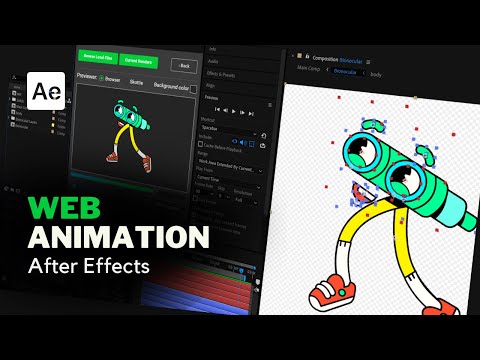
Hello and welcome back to another exciting video on motion graphics! In this tutorial, I'll guide you through the process of exporting animations from After Effects for use on websites and applications. We'll cover the importance of web animations, the necessary file formats and free extensions for exporting, and how to use the Bodymovin extension to create and export animations. We'll also explore web animation formats like Lottie and JSON, why developers prefer these formats, and their limitations. Stay updated in the animation industry by learning how to create stunning web animations in After Effects. Chapters: 00:00 Introduction 00:41 Chapter 1 01:36 Chapter 2 02:24 Chapter 3 03:49 Chapter 4 04:10 Chapter 5 07:03 Bonus Download Bodymovin extension : https://aescripts.com/bodymovin/ Download ZXP Installer : https://aescripts.com/learn/zxp-installer/ How to Download & Install Bodymovin and ZXP Installer tutorial : https://youtu.be/BkQYqwx6RqY Lottie and JSON Supported Features Chart : https://lottiefiles.com/supported-features 👏 Related Resources: Want to delve deeper into After Effects? Check out my After Effects masterclasses: 🎬Nature Logo Animation : Custom Logo Animation in After Effects | Nature Leaf Animation | After Effects Tutorial 🎬 Reveal Logo Animation : Text Logo Reveal Animation in After Effects | After Effects Tutorial 🎬 Palm Logo Animation : Custom Logo Animation in After Effects | After Effects Tutorial 🎬 Stroke Master Class : https://youtu.be/71dY8z12__c?si=km44MuR8zzCALOAG 🎬 Basics of Morph Animation : https://youtu.be/Utzl-R-UKJ4?si=nswLvMPrave8SnLA 🎬 Basics of Object along path : https://youtu.be/IZ5_J5tggpU?si=mnRFA3NYXftx3Kaj 🎬 Interactive Motion Graphics : https://youtu.be/RptxyMrrXcg?si=7OE-0MexufDl0uhL This tutorial is tailored for those with a basic understanding of After Effects or familiarity with animation concepts. However, beginners are welcome to follow along and learn! 🌐 Social Media: 📷 Instagram: https://www.instagram.com/sheikhsohel.in/ 🌐 Behance: https://www.behance.net/sheikhsohel 💼 LinkedIn: https://in.linkedin.com/in/sheikhsohel 🌐 My Services: https://www.sheikhsohel.com/ Thank you for joining me in this After Effects tutorial! Get ready to take your logo animation skills to the next level. Don't forget to explore my other tutorials and masterclasses for further learning. #motiongraphics #aftereffect #lottiefiles #webanimation

Continue this lesson in the app
Install CourseHive on Android or iOS to keep learning while you move.




