
Summary
Keywords
Full Transcript
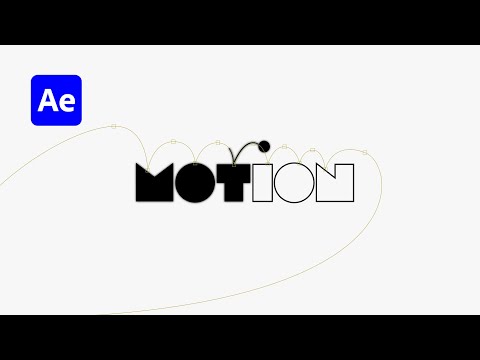
Master logo animation in After Effects! 🎨 In this beginner-friendly tutorial, learn how to prepare logos in Illustrator, import into After Effects, and animate a bouncing ball effect with motion paths, speed graphs, and creative outlines. Perfect for motion design beginners exploring logo animation techniques. Perfect for motion design beginners and anyone learning After Effects animation techniques. 👉 Watch the bouncing ball concept video here: : https://youtu.be/dNRQhkFuZxw?si=iUJ4FUc16nzpAsVr 🔗 Download & Support • 💎 Patreon (Project + Support): https://patreon.com/sheikhsohel/ • 📂 AE Project Collection: https://www.patreon.com/collection/1610156?view=expanded • 🎓 Premium Tutorials: https://www.patreon.com/collection/1649823?view=expanded • 🎨 AE Templates: https://www.patreon.com/collection/1610468?view=expanded • 📧 Business Inquiries: https://www.sheikhsohel.com/ 📌 Stay Connected • Subscribe: https://www.youtube.com/@sheikh_sohel • Instagram: https://www.instagram.com/sheikhsohel.in/ ⏱️ Chapters: 0:00 Illustrator Logo Setup 02:20 Importing into After Effects 03:14 Drawing the Motion Path 04:42 Animating the Ball Bounce 06:08 Adjusting with Graph Editor 07:33 Adding Text Outlines 08:25 Final Logo Animation #aftereffectstutorial #logoanimation #motiondesign #logodesign #bouncingballanimation

Continue this lesson in the app
Install CourseHive on Android or iOS to keep learning while you move.




