
Summary
Keywords
Full Transcript
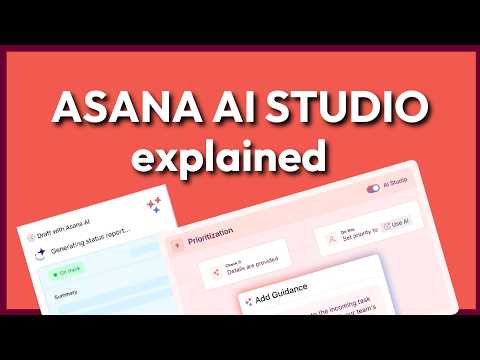
Want to chat about Asana? Book a 30-minute introductory call to learn more about our consulting service » https://minorco.com/asana Unlock the full power of Asana AI Studio — including the newest AI features that help you plan your week, reschedule overdue tasks, draft status updates, summarise projects, analyse attachments, and even build rules using AI. In this deep-dive tutorial, I walk through every major AI improvement inside Asana, step by step. We look at how Asana AI can help you prioritise your workload, understand what your team is working on, generate project summaries, create automatic rule logic, and draft polished updates for goals and clients. Whether you’re a team lead, business owner, or daily Asana user, this video shows how to turn Asana into a true intelligent assistant — not just a task list. What you’ll learn: - How Asana AI Chat analyses your tasks and builds weekly plans - Automatic rescheduling for overdue work - AI summaries for tasks, projects, conversations, and attachments - Smart project status updates & goal progress updates - Inbox summaries + quick catch-up tools - How to use AI inside Rules (naming tasks, comments, missing info checks) - How to generate entire automation rules using AI - A brand-new AI feature discovered live during recording If you want help getting your team set up properly in Asana or need tailored consulting, book an introductory call with our team using the link below. https://minorco.com/asana 0:00 – Why I Didn't Use Asana AI Before 1:11 – What You Need Before Using Asana AI 2:11 – Asana AI Chat (Live Examples) 5:19 – How I Suggest Starting With Asana AI 5:45 – AI Inside Tasks (Subtasks, Rewrites, Summaries) 8:33 – AI Project Summaries & Risk Reports 10:48 – Drafting Project Status Updates with AI 12:24 – AI for Goals (Progress + Next Steps) 14:08 – AI Inbox Summary 14:43 – AI-Powered Rules & Automations 17:01 – Final Thoughts & What’s Next Sign up for our FREE video training series: "Asana 101: Introduction to Asana" » https://minorco.com/asana-101/ Want to take full advantage of Asana? Sign up to our Master Asana support program and take Asana to the next level » https://minorco.com/asana Want to chat first? Book a 30-minute introductory call to learn more about our consulting service » https://minorco.com/asana Request a quote! Purchase your Asana licenses through MinorCo and receive the best price on your subscription + complimentary support: https://minorco.com/asana-request-a-quote/ Sign up to my newsletter to get regular tips and videos on how to use Asana better » https://minorco.com/newsletter

Continue this lesson in the app
Install CourseHive on Android or iOS to keep learning while you move.




