Summary
Keywords
Full Transcript
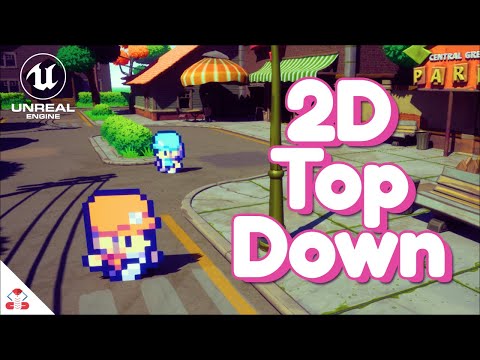
Get my 17 hour 2D Top Down Unreal Engine Course at a discount: https://tinyurl.com/Unreal2DTopDown Support the channel on Patreon: https://www.patreon.com/CobraCode A lot of you have asked and I'm happy to finally show you how you can make a 2D Top Down Game in Unreal Engine 5. In this tutorial we'll use the free PaperZD plugin since it comes with built in support for multi-directional animations! Top Down character by axul arts: https://axulart.itch.io/small-8-direction-characters PaperZD Plugin: https://www.unrealengine.com/marketplace/en-US/product/paperzd?sessionInvalidated=true Tile set by axul arts: https://axulart.itch.io/axularts-basicplains-tileset-ver2 Enhanced Input system documentation: https://docs.unrealengine.com/5.1/en-US/enhanced-input-in-unreal-engine/ If you enjoyed this video, please subscribe: http://www.youtube.com/channel/UCoKYIjbaEX4mnR8IWwtuBwA?sub_confirmation=1 ● Twitter: https://twitter.com/CobraCodeDev ● Discord: https://discord.com/invite/7VVeuZBy42 Timecodes: 0:00 Intro 0:34 Activating PaperZD 0:54 Preparing Character Sprites 8:45 Setting up the Character Blueprint 11:55 Creating Top Down Animations 14:09 Creating the Animation Blueprint 15:55 Setting up the Enhanced Input 20:30 Adjusting Project Settings 22:30 Setting up the Sprite Direction 24:45 Switching between Idle and Moving 26:25 Adding wall detection 29:45 Making it a 2D/3D Hybrid 🎵 Music By: mell-ø - thinking about you Provided by Lofi Records Watch: https://youtu.be/nNJ7y6pJSQY Icons made by Freepik (https://www.freepik.com) from Flaticon (https://www.flaticon.com/) #cobracode #gamedev #unrealengine #ue5

Continue this lesson in the app
Install CourseHive on Android or iOS to keep learning while you move.