Download files: https://people.highline.edu/mgirvin/AllClasses/348/348/AllFilesBI348Analytics.htm
Learn:
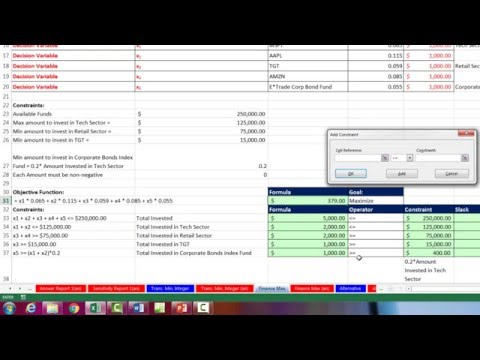
1) (00:11) Maximize Portfolio Returns Problem.
2) (00:22) List Decision Variables, Formula Inputs, Objective and constraint details.
3) (03:25) Create Objective Function
4) (04:11) Create Constraint Functions
5) (08:07) Use Excel Solver to find Maximum Portfolio Returns
Download Excel File Not: After clicking on link, Use Ctrl + F (Find) and search for “Highline BI 348 Class” or for the file name as seen at the beginning of the video.
Continue this lesson in the app
Install CourseHive on Android or iOS to keep learning while you move.