
Summary
Keywords
Full Transcript
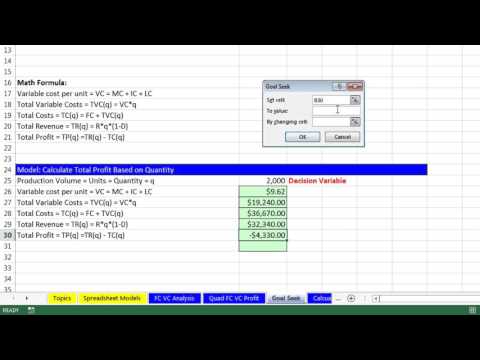
Download files: https://people.highline.edu/mgirvin/AllClasses/348/348/AllFilesBI348Analytics.htm Learn How to use Excel’s Goal Seek to find the Break Even Point in Fixed Cost Variable Cost Analysis: 1) (00:12) Last Video 2) (00:24) Insert New Sheet and copy model created in last video. 3) (01:01) What is Goal Seek? 4) (02:43) Keyboard for Goal Seek 5) (03:14) Goal Seek to change the Decision Variable “Quantity” so that Profit Formula evaluates to Zero ($0). Try to find Break Even Point 6) (03:14) Goal Seek to change the Decision Variable “Revenue” so that Profit Formula evaluates to Zero ($0). Try to find Break Even Point. Download Excel File Not: After clicking on link, Use Ctrl + F (Find) and search for “Highline BI 348 Class” or for the file name as seen at the beginning of the video.

Continue this lesson in the app
Install CourseHive on Android or iOS to keep learning while you move.





