
Summary
Keywords
Full Transcript
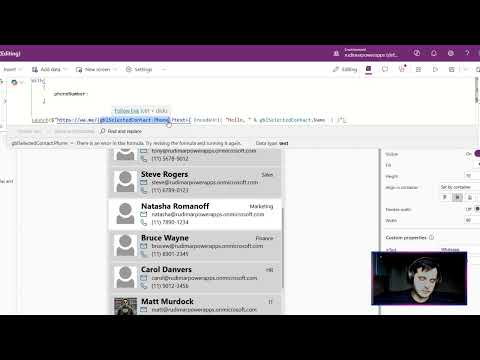
Optimizing Power Apps: Sanitizing Phone Numbers for WhatsApp URL Integration In this tutorial, we demonstrate how to clean up phone numbers for WhatsApp URL integration within Power Apps by removing special characters. Learn how to use the 'with' function to simplify complex formulas through context-based variables. We'll also introduce User Defined Functions, a new feature in Power Apps, to create reusable logic. Follow along as we enable these functions, copy pre-made code from Power Apps Tools, and properly integrate sanitized phone numbers into your app. Perfect for enhancing your app's functionality and ensuring seamless WhatsApp communication. 00:00 Introduction to WhatsApp URL Formula 00:26 Organizing with the 'With' Function 00:56 Creating and Using Variables 02:22 Removing Special Characters 03:07 Enabling User Defined Functions 03:54 Implementing the Custom Function 05:29 Testing and Final Adjustments 06:46 Conclusion and Next Steps Unlock Exclusive Perks by Joining Our Channel! Become a member today and gain access to exclusive content, behind-the-scenes insights, and members-only perks. 🦾 Click the link to join: https://www.youtube.com/channel/UCibsGGnYq_TlpyvteS1mnYQ/join 📺 Check out the course with life-time access: https://www.udemy.com/course/power-apps-learn-to-build-an-app-to-manage-your-inventory/?referralCode=394D1C18B17843401D9C #PowerApps #MicrosoftPowerApps #LowCodeDevelopment #AppBuilding #BusinessApps Keywords: power apps,tutorial,low code,sharepoint,learn power apps,microsoft,power apps for begginers, how to start with power apps canvas app, create an app connected to sharepoint, excel, app connected to excel

Continue this lesson in the app
Install CourseHive on Android or iOS to keep learning while you move.





