
Summary
Keywords
Full Transcript
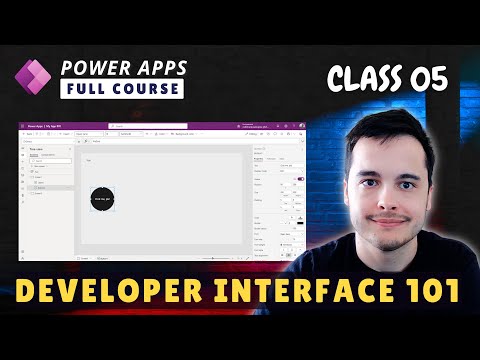
Mastering the Power Apps Interface: Navigation & Basic Controls 📌 Want to create powerful apps in Power Apps? Start by understanding the interface and mastering basic controls. In this tutorial, we’ll walk you through: ✅ The Power Apps interface and its key components ✅ Navigating the top bar, modern comment bar, and action items ✅ How to insert and customize controls (buttons, text, and more) ✅ Saving, sharing, and enabling auto-save for your app ✅ Simulating your app on different devices for a better user experience ✅ Publishing your app to make it live for users 📺 Watch the Full Power Apps Playlist for Free: 🔗 https://youtube.com/playlist?list=PLJCcpEOSXzJToutT3VAhQzOcf13lKM569 📚 Want to learn more? Get full lifetime access to my Power Apps beginner-friendly course on Udemy: 🎓 Enroll now: 🔗 https://www.udemy.com/course/power-apps-learn-to-build-an-app-to-manage-your-inventory/?referralCode=394D1C18B17843401D9C ⏱️ Video Chapters: ⏳ 00:00 Introduction to the Interface 🖥️ 00:06 Exploring the Top Bar 🎨 00:59 Inserting and Customizing Controls ✔️ 02:53 Using the App Checker and Sharing Features 📱 03:17 Play Mode and Device Simulation 💾 04:01 Saving and Publishing the App 🛠️ 05:07 Control Properties Overview 🔍 Keywords & SEO Optimization Power Apps tutorial, Power Apps navigation guide, how to use Power Apps, Power Apps for beginners, Power Apps UI tutorial, customizing Power Apps controls, Power Apps interface explained, low-code development, Power Platform training, Power Apps step-by-step tutorial. 📢 Hashtags: #PowerApps #CanvasApp #AppDevelopment #LowCode #PowerPlatform #MicrosoftPowerApps 📢 For Business Inquiries & Training: 📧 Contact me 🔔 Don’t forget to LIKE, COMMENT, and SUBSCRIBE for more Power Apps tutorials! 🚀 Unlock Exclusive Perks by Joining Our Channel! Become a member today and gain access to exclusive content, behind-the-scenes insights, and members-only perks. 🦾 Click the link to join: https://www.youtube.com/channel/UCibsGGnYq_TlpyvteS1mnYQ/join

Continue this lesson in the app
Install CourseHive on Android or iOS to keep learning while you move.





