
Summary
Keywords
Full Transcript
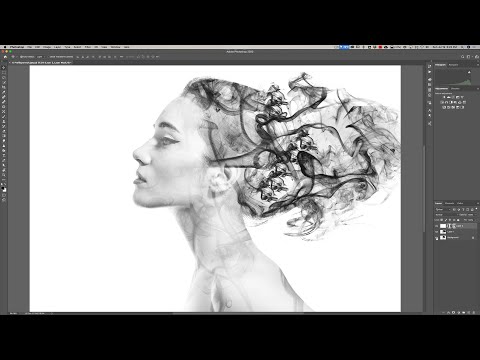
In this tutorial, I demonstrate how to create a smoke flowing, artistic portrait. Along the way, I demo how to create a brush in Photoshop. Fun Fact: I was doing this tutorial and was near the end. The image I created looked AWESOME then a dialog box popped up telling me the recording had crashed and my screen recording software closed. I lost the recording and had to start over. The second attempt recorded fine but my resultant image stinks. This is one of those Photoshop techniques that will give you a different look every time you do it. Please follow me on Instagram: https://www.instagram.com/anthonymorganti/ Checkout my Recommended Gear List: https://www.amazon.com/shop/anthonymorganti If you're interested in Photoshop, Lightroom, Adobe Stock, and the Creative Cloud, you can find more info here: http://bit.ly/2zwQ0nW I use this software to record my screen: https://telestream.pxf.io/DMrW2 Unsure of how to price your photography? Check the 2019 Guide to Pricing Your Photography: https://amzn.to/2S1CiU7 All links above are my affiliate links. Please read my code of ethics statement for more info about my affiliations: https://onlinephotographytraining.com/code-of-ethics/ Thank you for watching!

Continue this lesson in the app
Install CourseHive on Android or iOS to keep learning while you move.





