
Summary
Keywords
Full Transcript
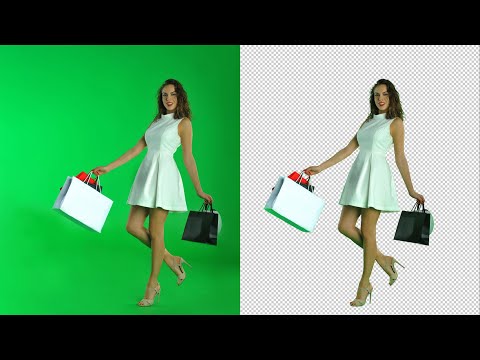
To see how to remove the colorcast, watch this video: https://youtu.be/UTt8RgZItME Please follow me on Instagram: https://www.instagram.com/anthonymorganti/ Checkout my Recommended Gear List: https://www.amazon.com/shop/anthonymorganti If you're interested in Photoshop, Lightroom, Adobe Stock, and the Creative Cloud, you can find more info here: http://bit.ly/2zwQ0nW I use this software to record my screen: https://telestream.pxf.io/DMrW2 Unsure of how to price your photography? Check the 2019 Guide to Pricing Your Photography: https://amzn.to/2S1CiU7 All links above are my affiliate links. Please read my code of ethics statement for more info about my affiliations: https://onlinephotographytraining.com/code-of-ethics/ In this tutorial, I demonstrate the easiest way to key out, or remove a green screen in Photoshop. The background doesn't have to be green for this method to work though. This method is so versatile that the background can be any color or any shade of gray. List of Keyboard Shortcuts: Add To Selection with Color Range Tool: Shift + Click Invert Selection: Shift + CMD/CTRL + i Selection Tools: W Zoom In: CMD/CTRL - Plus Key Zoom Out: CMD/CTRL - Minus Key Fit to Screen: CMD/CTRL - Zero Key

Continue this lesson in the app
Install CourseHive on Android or iOS to keep learning while you move.





