
Summary
Keywords
Full Transcript
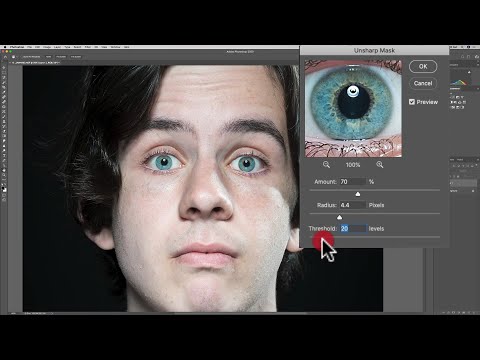
Over the next few videos I'll be explaining how to use three popular Photoshop sharpening methods -- Unsharp Mask, Smart Sharpen, and High Pass Sharpening. In this video, I explain the Unsharp Mask. For more detailed info about how post processing sharpening works, watch my Lightroom video on the subject: https://youtu.be/mZV38QDo388 Please follow me on Instagram: https://www.instagram.com/anthonymorganti/ Gear and settings used for image in video: Nikon D800e: https://amzn.to/2EBZjYI Nikon 70-200mm F2.8 VRii Lens: https://amzn.to/2WG1p5f Sekonic Light Meter: https://amzn.to/2O177sv 5 in 1 Reflector: https://amzn.to/2Zl2g7C Einstein Strobe: http://bit.ly/2M7Qfha 22" Beauty Dish: http://bit.ly/2mlymT5 Cyber Commander: http://bit.ly/2ohkpXr Manual Mode Auto White Balance Single Point Focus - Focused on his eye 1/250, F8.0, iso: 100 at 140mm Checkout my Recommended Gear List: https://www.amazon.com/shop/anthonymorganti I use this software to record my screen: https://telestream.pxf.io/DMrW2 Unsure of how to price your photography? Check the 2019 Guide to Pricing Your Photography: https://amzn.to/2S1CiU7 The Amazon and Telestream links above are my affiliate links. Please read my code of ethics statement for more info about my affiliations: https://onlinephotographytraining.com/code-of-ethics/ Thumbnail Image by Olya Adamovich from Pixabay THANK YOU for watching!

Continue this lesson in the app
Install CourseHive on Android or iOS to keep learning while you move.




