
Summary
Keywords
Full Transcript
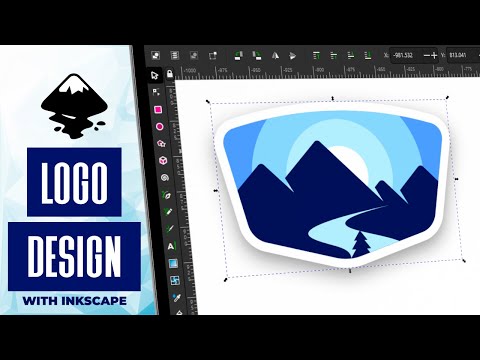
In this tutorial we'll be going over how to create a emblem-style logo that uses nothing but simple shapes to construct a mountain range with a river and pine tree in the forefront. To accomplish this we'll be making good use of path effects, path operations, and the Nodes Tool. Want to learn more about how Inkscape works? Check out the Inkscape Master Class - a comprehensive series of over 50 videos where I go over every tool, feature and function in Inkscape and explain what it is, how it works, and why it's useful: https://logosbynick.com/inkscape/ 🔗 RESOURCE LINKS Hire me to design your logo: https://logosbynick.com Get 200+ free design templates: https://logosbyni.ck.page/join Get my premium logo templates: https://logosbynick.com/logo-mega-bundle/ Upgrade to the latest version of Inkscape here: https://inkscape.org/release/ 🎓 EXPLAINER COURSES Inkscape: https://logosbynick.com/inkscape/ Affinity Designer: https://logosbynick.com/affinity-designer/ GIMP: https://logosbynick.com/gimp/ Adobe Illustrator: https://logosbynick.com/illustrator/ Take my logo design workshop: https://logosbynick.com/learn/ 📷 STOCK IMAGERY I use graphic templates from 123rf for all of the thumbnails and headers that I design for my various channels and websites. You can get 10% off using my affiliate link: https://bit.ly/3dWoz0z (DISCLOSURE: I will earn a commission if you make a purchase using my link) ▶️ MY OTHER CHANNELS Adobe & Affinity tutorials: https://www.youtube.com/c/DesignMadeSimple/ Mobile tutorials: https://www.youtube.com/channel/UCe7cPBY4S6XMQZQsf2eC_5w 🎵 MUSIC USED Eldorado - BLUE STEEL In Da Mood - Combustibles CHAPTERS 00:00 Intro 00:32 Creating The Emblem 03:35 Designing The Mountains 05:45 Designing The River 08:44 Creating The Tree 10:20 Applying Color 11:03 Adding Sun With Rays 13:20 Adding A Border And Drop Shadow 14:46 Learn More

Continue this lesson in the app
Install CourseHive on Android or iOS to keep learning while you move.





