Summary
Keywords
Full Transcript
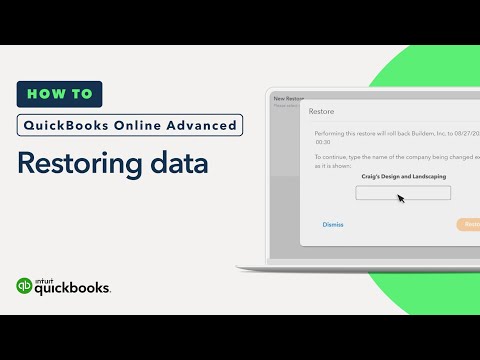
QuickBooks Online Advanced (Learn more: http://intuit.me/QBO-Advanced), is the only QuickBooks Online plan that includes Backup and Restore at no additional cost. Backups let you turn back the clock and undo your changes if you or anyone on your team ever deletes or changes a transaction they shouldn’t have. To get started, go to "Back up company" from the settings menu. To restore your company to a previous point in time, select “Restore” and then “New restore.” Choose the date and time you want your company to go back to, then select “Create restore.” Restoring your company can take up to 30 minutes, though it's usually less. Be sure not to do anything in your company file while QuickBooks restores your data. A checkmark will appear when it's safe to access your data again. Now you know how to backup and restore your company at any point in the past with QuickBooks Online Advanced. In this video: 0:00 QuickBooks Online Advanced is the only QuickBooks Online plan that includes the backup and restore feature at no additional cost. 0:16 You can maintain backups of your company’s info so you can undo changes and fix mistakes. 0:20 Here’s how to restore your company to a previous date and time. 0:28 To start, go to the settings menu and select “Back up company.” 0:35 To restore your company to a previous point in time, select “Restore” and then “New restore.” 0:43 Choose the date and time you want your company to go back to, then select “Create restore.” 0:52 Enter your company’s name and select “Restore.” 0:56 The process to restore your company can take up to 30 minutes, though it’s usually less. 1:02 The more data a company has, the longer it takes. 1:06 Important note: Don’t do anything in your company file while QuickBooks restores your data. 1:12 You’ll know when your data is restored when you see a checkmark. Then it’s safe to jump back in and work with your company data again. 1:20 You can always select “Restore” to look up past restores. 1:26 Now you’re ready to restore your company data to any point in the past with QuickBooks Online Advanced. We have over 100 step-by-step tutorials to help you master QuickBooks. Browse our entire library by topic: Getting Started - https://bit.ly/2PaHuGz Accounting Basics - https://bit.ly/2Jc5dSX Sales - https://bit.ly/2Weq7WV Invoicing - https://bit.ly/2JelfeQ Expenses - https://bit.ly/31HK89r Reports - https://bit.ly/2MADTzM Reconciliation and Preparing for Tax Season - https://bit.ly/2MAfydj Managing Inventory - https://bit.ly/2W8NQaH Projects (without QuickBooks Payroll) - https://bit.ly/2P9UWdF Projects (with QuickBooks Payroll) - https://bit.ly/2W5Tjio Subscribe to our YouTube channel: https://intuit.me/3bOj0M2 Learn more about QuickBooks Online Advanced at: http://intuit.me/QBO-Advanced #QuickBooksOnline #QBOA #QuickBooks #BackUpData The world’s largest workforce works for themselves. We work for them by providing smarter business tools. QuickBooks #BackingYou.

Continue this lesson in the app
Install CourseHive on Android or iOS to keep learning while you move.