
Summary
Keywords
Full Transcript
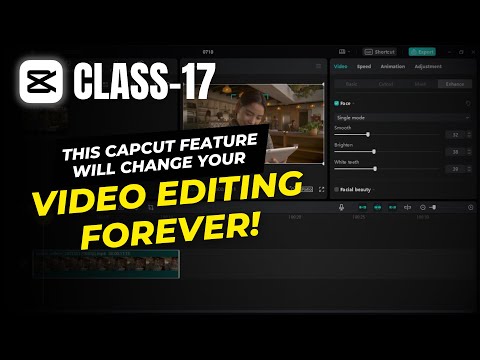
Welcome to Creative Suit Tutorials YouTube Channel! In this video, we'll guide you through the process of using AI features in Capcut to achieve smooth skin and soft skin tone in your videos. If you want to enhance your facetime videos for uploading on YouTube, you've come to the right place! 🔗 Download CapCut Pro: https://bit.ly/samcapcutpro 🎥 Video Content 🎥 In this tutorial, we'll demonstrate how Capcut's AI feature can simplify the process of editing your videos. We'll start by importing a video and focusing on editing the face exposure and adding smoothness to the skin. Unlike other software that requires complex masking and editing, Capcut streamlines the process. Simply select the clip, go to the enhance section, and enable the AI feature. From there, you can effortlessly adjust the face features by manipulating the provided values. With Capcut's facial beauty section, you can also fine-tune individual facial features such as the nose and eyes. Additionally, explore the makeup features that allow you to apply different presets or create your own. You'll be amazed at how Capcut's intelligent AI applies these effects seamlessly throughout the entire video. Towards the end of the video, we'll delve into Capcut's body editing feature, which enables you to enhance different parts of the body. Stay tuned for the second part of the tutorial where we demonstrate this feature using a video with two people, showcasing its effectiveness on multiple individuals. Don't forget to like, subscribe, and share this video to support our channel. If you find this tutorial helpful, hit the subscribe button and turn on the notification bell for more amazing content. Your support is greatly appreciated! Smooth Skin Video Editing, Soft Skin Tone Editing, Capcut Video Editing, Video Retouching in Capcut, Capcut Tutorial, Face Smooth Video Editing, Soft Glow Skin Video Editing, Capcut Video Retouching Tutorial, Realistic Face Smooth Video Editing, Face Glow in Capcut, Face Tune Edit Capcut App #Capcut #VideoEditing #SmoothSkin #SoftSkinTone #VideoRetouching #tutorial

Continue this lesson in the app
Install CourseHive on Android or iOS to keep learning while you move.




![SEO Course [2026 Updated]](https://i.ytimg.com/vi/HeeUHugrG5U/hqdefault.jpg)
