
Summary
Keywords
Full Transcript
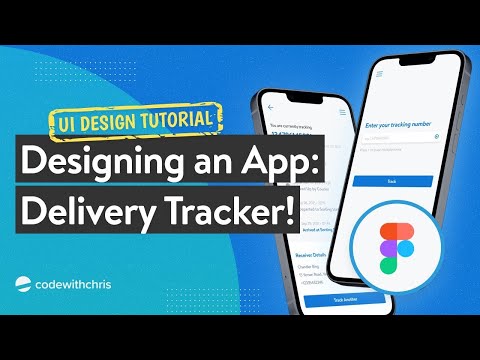
Design is something developers have always wanted to explore. However, some get intimidated the moment they start because they feel that they do not possess a level of creativity that is perceived to be required in designing an app. In this video, we’ll prove to you that creating a simple, modern, and good-looking app doesn’t require too much creativity or artistry to begin with. Let’s design a delivery tracker app as an example. Figma is a free web-based design tool used by professionals and indie devs to create app designs, prototypes and mockups: ⚡https://cwc.to/figma 🚨 SPECIAL CWC+ OFFER FOR YOUTUBE: https://cwc.to/youtubeoffer MY FREE ONLINE COURSE: ⚡ How to make an app in 14 days - https://cwc.to/14days CWC+ PROGRAM: 👩💻 All our courses in a learning path - https://cwc.to/plus MY FAVOURITE APP RESOURCES: 📖 The SwiftUI Reference Books I Use - SwiftUI Views Mastery - https://cwc.to/swiftui-book 💰 How I Monetize My Apps - RevenueCat - https://cwc.to/revenuecat 🤖 My Automation Tool of Choice - Bitrise - https://cwc.to/bitrise 🧑🎨 What I Use For App Design - Figma - https://cwc.to/figma 🎨 Figma Design/Prototyping Course - Skillshare - https://cwc.to/appdesigncourse MY FAVOURITE GEAR: 🎥 My Camera Gear - https://cwc.to/gear WEEKLY UPDATES VIA EMAIL: ✉️ Every Saturday, receive an email digest of new content - https://cwc.to/newsletter CONNECT: 🌍 My website - https://codewithchris.com 😺 GitHub - https://github.com/codewithchris 📸 Instagram - https://www.instagram.com/codewithchris/ 🐦 Twitter - https://twitter.com/codewithchris ABOUT CODEWITHCHRIS: Hi I’m Chris! I’m dedicated to teaching fundamentals about how to make an app. This is important if you’re trying to land an iOS job, be a freelancer, increase or start a business with an app idea. On this channel and my website, you'll find a ton of free resources and tutorials to aid you on your journey to learn iOS development. Many people have learned to code and build apps on their own! https://cwc.to/reviews Note: Some of the links in this description are affiliate links that help support this channel. Thank you if you used any of them!

Continue this lesson in the app
Install CourseHive on Android or iOS to keep learning while you move.





