
Summary
Keywords
Full Transcript
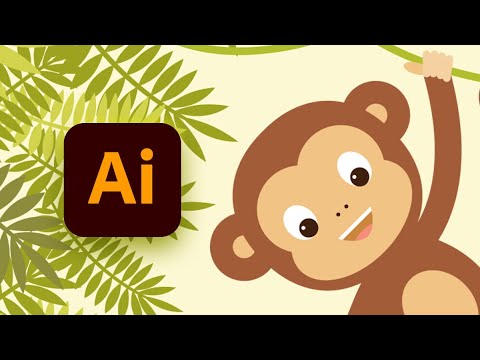
In this tutorial, you will learn how to create a monkey hanging on a vine. You'll use just basic shapes, warp effects, and the Pathfinder panel. You will also see how to move anchor points and learn how to use the Line Segment Tool and the Arc Tool. ► Download unlimited photos, fonts, and templates with Envato Elements: https://elements.envato.com/?utm_campaign=yt_tutsplus_SCbnk-4uDIc&utm_medium=referral&utm_source=youtube.com&utm_content=description 00:00 - Introduction 01:12 - Set up a new document 02:22 - Create the head of the monkey 08:57 - Create the body and the vines 16:45 - Create the palm leaves 20:02 - Create the background 20:35 - Conclusion Read more on How to Create a Hanging Monkey Illustration in Adobe Illustrator on Envato Tuts+: https://design.tutsplus.com/tutorials/how-to-create-a-hanging-monkey-illustration-in-adobe-illustrator--cms-26911?utm_campaign=yt_tutsplus_SCbnk-4uDIc&utm_medium=referral&utm_source=youtube.com&utm_content=description - - - - - - - - - - - - - - - - - - - - - - - - - - - - - - - - - - - - - - - Envato Tuts+ Discover free how-to tutorials and online courses. Design a logo, create a website, build an app, or learn a new skill: https://tutsplus.com/?utm_campaign=yt_tutsplus_SCbnk-4uDIc&utm_medium=referral&utm_source=youtube.com&utm_content=description Envato Elements All the creative assets you need under one subscription. Customize your project by adding unique photos, fonts, graphics, and themes. ► Download Unlimited Stock Photos, Fonts & Templates with Envato Elements: https://elements.envato.com/?utm_campaign=yt_tutsplus_SCbnk-4uDIc&utm_medium=referral&utm_source=youtube.com&utm_content=description ► Subscribe to Envato Tuts+ on YouTube: https://www.youtube.com/tutsplus ► Follow Envato Tuts+ on Twitter: https://twitter.com/envato ► Follow Envato on Facebook: https://www.facebook.com/envato - - - - - - - - - - - - - - - - - - - - - - - - - - - - - - - - - - - - - - -

Continue this lesson in the app
Install CourseHive on Android or iOS to keep learning while you move.





