
Summary
Keywords
Full Transcript
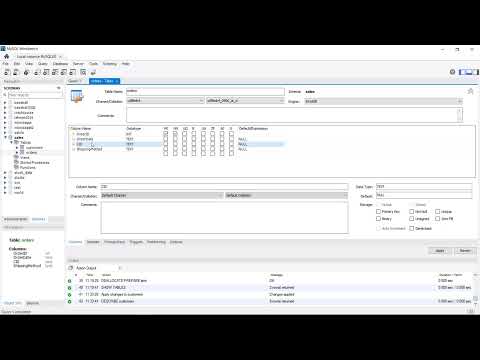
@MattMacarty #mysql #workbench #foreignkey ✅ Please SUBSCRIBE: https://www.youtube.com/subscription_center?add_user=mjmacarty Add and work with foreign key constraints in MySQL ✅ Pure SQL Tutorial starts 7:18 ✅ How to Create Databases: https://youtu.be/OnXB3ZRrOW0 ✅ How to Create EER Diagrams: https://youtu.be/tEhGIYN4vic ✅ Link to GitHub: https://github.com/mjmacarty/mysql In this video I am going to demonstrate add a foreign key contraint in MySQL and create relationships using the workbench. See the link to download the two tables used from GitHub so you can follow along. The tables customers and orders, so we can imagine the relationships there where one customer places many orders (hopefully). We start off by examining and ERD of the unrelated tables. We can use the EER diagram to manually add the one-to-many relationship button here and draw the relationship in between the tables, however for this to take effect you would need to forward engineer the diagram into a new database. There are a number of different ways we add foreign key constraints, and the video covers the methods to do this in the workbench. First I'm going to use the GUI method, and then we will see how to do the same thing with pure SQL. The requirements are the same regardless of which method you use: you need to relate a primary key from one table to a column in a second table of the same data type and size. A couple of things to keep in mind, 1. when you import data MySQL tends to make it as generic as possible. For example any string data will be imported as text datatype; 2. MySQL does not allow text data to be defined as a primary key. MySQL allows CHAR data and INT data to be defined as primary keys. For speed, INT data is preferred, but we will be using CHAR data in this video. Some people prefer the GUI interaction since you can simply point click and drag. In reality, though the Workbench generates all the required SQL, which you have "apply". To me it's not easier to use the GUI interface, and I prefer the PURE SQL method. In addition, since we are dealing with SQL there's always or usually more than one way of doing things. I am going to ALTER the tables using the MODIFY keyword on the columns of interest to add both primary and foreign keys.

Continue this lesson in the app
Install CourseHive on Android or iOS to keep learning while you move.




