
Summary
Keywords
Full Transcript
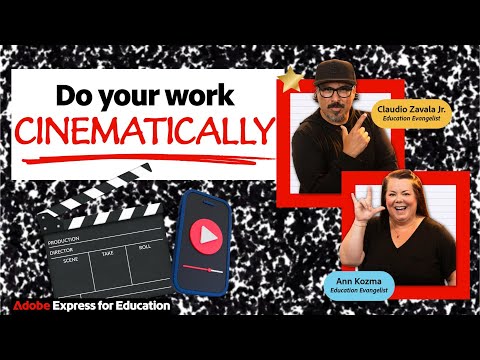
Discover how easy it is to bring your ideas to life on screen! In this session, we'll explore the magic of video storytelling using Adobe Express. From combining video clips and visuals to adding sound, text, animation and pacing, you'll learn practical tips to craft short films that capture attention and spark emotion. Whether you're a student, educator, or creator, you'll walk away with simple strategies to transform everyday stories into cinematic experiences. https://bit.ly/cinematicstorytellingadobe https://bit.ly/storeyboardwithexpress https://bit.ly/theeditadobe https://adobe.ly/adobeliveedu https://adobe.ly/acesignup Join the Adobe Live Discord: https://discord.gg/p48UBK3nX2 Ann Kozma is an Adobe Education Evangelist who sparks creativity in others and champions community with a #BetterTogether mindset. Drawing from 24+ years of experience in education as a teacher, EdTech TOSA and Innovation Lead at Flipgrid/Microsoft, Ann is on a mission at Adobe to inspire future generations to be lifelong creators: https://www.instagram.com/annkozma723 Claudio Zavala Jr. is an Adobe Education Evangelist with over 25 years of experience as a teacher, mentor, edtech trainer, and digital designer. He is a seasoned presenter, former Adobe Express Ambassador, and creator of YouTube tutorials. Based in the Dallas-Fort Worth area, Claudio is focused on working with school districts across Texas and beyond. He is an accomplished photographer, cinematographer, and musician: https://www.instagram.com/claudiozavalajr Subscribe to the Adobe Live YT Channel: https://bit.ly/adobeliveyoutube Try out Adobe Express NOW: https://adobe.ly/tryAdobeExpress ---- Join us LIVE on Behance: https://www.behance.net/adobelive Music by Chillhop Music: https://chillhop.ffm.to/creatorcred 00:00 Start 00:53 Overview for today, visual intention in storytelling 03:59 Cinematic storytelling walkthrough 05:29 Storyboard template, using generative ai to create frames 10:37 Storyboard shot writing tips 12:15 Create a Video, adding clips, tips for searching for stock 19:26 Changing duration of footage 20:18 Adding audio, tips for choosing music, fade in and out 25:28 Adjusting the color of footage 30:40 Adding transitions between scenes 36:59 Slow down footage 43:04 Sharing your finished video creating a class gallery 51:39 Recap and outro

Continue this lesson in the app
Install CourseHive on Android or iOS to keep learning while you move.





