
Summary
Keywords
Full Transcript
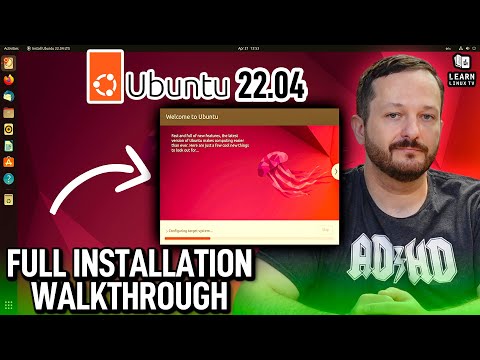
With the release of Ubuntu 22.04 LTS "Jammy Jellyfish", we have an updated desktop experience with custom features, and long-term support for three years. In this video, we'll take a look at the installation process. Nothing much has changed in the installer, but if you haven't seen what the process looks like yet, then this video is for you. *VIDEO SPECIFIC LINKS* - Check out the LearnLinuxTV full review of Ubuntu 22.04 LTS here ➜ https://linux.video/ubuntu-jammy-review - Download Ubuntu 22.04 LTS ➜ https://ubuntu.com/download/desktop *📖 Check out my brand-new Linux Troubleshooting eBook!* Contains expert strategies to help you level-up your System Administration game. Packed with advice, best practices as well as some Linux-related life hacks! • Check it out here ➜ https://learnlinux.link/troubleshooting-ebook *📖 Check out my brand-new Linux Troubleshooting eBook!* Contains expert strategies to help you level-up your System Administration game. Packed with advice, best practices as well as some Linux-related life hacks! • Check it out here ➜ https://learnlinux.link/troubleshooting-ebook *📖 Switch to Linux with my latest book!* Linux is one of the best decisions you can make for your computer — but knowing where to start is the hard part. This guide walks you through everything: choosing a distribution, installing it, and using it confidently every day. It'll be released very soon! 📌 *Join the announcement list here ➜ https://leanpub.com/switch-to-linux* *🔥 Top Recommendations* • Get $100 Credit to Practice on Akamai (Linode) ➜ https://learnlinux.link/linode • Linux Commands Cheat Sheet ➜ https://learnlinux.link/linux-commands • 30% Off Linux Foundation Certifications (Use code "LEARNLINUXTV") ➜ https://learnlinux.link/lf • Professional tutoring from yours truly ➜ https://learnlinux.link/tutor-me *🛠️ SysAdmin Tools* • Monitor your Infrastructure like a Pro with Netdata ➜ https://learnlinux.link/netdata • Check out TinyPilot, a Pi-Based Remote Access Solution ➜ https://learnlinux.link/tinypilot • Tips for Switching to Linux (ebook) ➜ https://learnlinux.link/linux-desktop-tips *🛡️ Privacy & Privacy* • Safeguard your Internet activity with Proton VPN (70% off) ➜ https://go.getproton.me/aff_c?offer_id=26&aff_id=16836 • Get Proton end-to-end Encrypted Email for $1/month ➜ https://go.getproton.me/aff_c?offer_id=7&aff_id=16836 *❤️ Support the Channel* • Enjoyed the video? Your support keeps this channel independent! • Become a Channel Member (Ad-Free & Early Access) ➜ https://learnlinux.link/join • Support on Patreon ➜ https://learnlinux.link/patron *🛍️ Featured Merch* • "apt install coffee" T-Shirt (My personal favorite) ➜ https://learnlinux.link/apt-install-coffee • Proxmox T-Shirt ➜ https://learnlinux.link/proxmox-shirt • Explore the Full Shop ➜ https://merch.learnlinux.tv *🎓 More About Learn Linux TV* • Main site ➜ https://www.learnlinux.tv • Community Forums ➜ https://community.learnlinux.tv • Github Account ➜ https://github.com/LearnLinuxTV • Content Ethics ➜ https://www.learnlinux.tv/content-ethics • Request Paid Assistance ➜ https://www.learnlinux.tv/request-assistance Learn Linux TV provides technical content that will hopefully be helpful to you and teach you something new. However, this content is provided without any warranty (expressed or implied). Learn Linux TV is not responsible for any damages that may arise from any use of this content. The person viewing Learn Linux TV's content is expected to follow their best judgement and to make their best decisions while working with any related technology. Always make sure you have written permission before working with any infrastructure. Also, be sure that you're compliant with all company rules, change control procedures, and local laws. #Ubuntu #learnlinux #Linux

Continue this lesson in the app
Install CourseHive on Android or iOS to keep learning while you move.





