
Summary
Keywords
Full Transcript
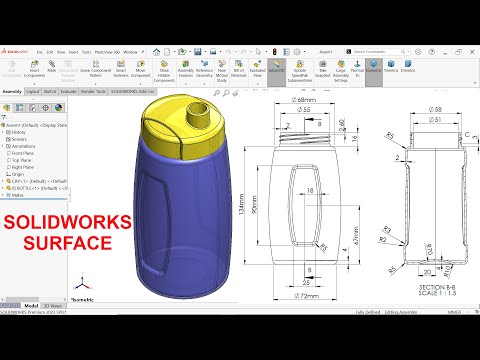
FOR DRAWING CHECK FACEBOOK PAGE Facebook page : https://www.facebook.com/CAD-CAM-Tutor-Mahtab-104470907698268/ we will learn below Surface features in solidworks Parts. 1.Extruded Surface 2.Revolved Surface 3.Trim Surface 4.Lofted Surface 5.Knit Surface 6.offset Surface 7.Plane 8.Extruded Boss Base 9.Circular Pattern 10.Fillet 11.Revolved Boss Base 12.Revolved Cut 13.Extruded Cut 15.Swept Boss Base Assembly 16.Import Parts 17.Coincident Mate 18.Concentric Mate 19.Limit Mate 20.Screw Mate 21.Appearance in Solidworks. Follow Us On Instagram : https://www.instagram.com/mahtabkhan22/ Facebook page : https://www.facebook.com/CAD-CAM-Tutor-Mahtab-104470907698268/ YouTube https://www.youtube.com/c/CADCAMTUTORIAL #Solidworksweldments #SolidworksAssembly #solidworkstutorial #solidworkstutorialforbeginners #Autocad #Solidworksdrawing

Continue this lesson in the app
Install CourseHive on Android or iOS to keep learning while you move.




![SEO Course [2026 Updated]](https://i.ytimg.com/vi/HeeUHugrG5U/hqdefault.jpg)
