Course Hive
Search

Welcome

Sign in or create your account

Continue with Google
or
Harvester Trimmer Modeling in SolidWorks
Play lesson

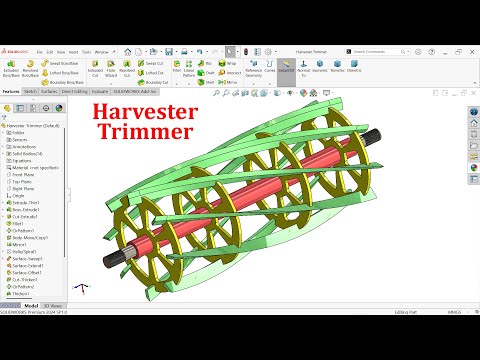
SolidWorks Surfacing - Harvester Trimmer Modeling in SolidWorks

Master Advanced Surfacing with SolidWorks: Transform Ideas into Complex 3D Models Effortlessly!

4.0 (1)
11 learners

What you'll learn

Master the creation of complex surface models using advanced surfacing techniques in SolidWorks
Apply SolidWorks tools to design various objects like bottles, handles, and helmets efficiently
Utilize the command manager to set standard views for streamlined project organization
Develop skills in advanced surface modeling to create intricate shapes and industrial products

This course includes

  • 27.5 hours of video
  • Certificate of completion
  • Access on mobile and TV

Summary

Keywords

Full Transcript

FOR DRAWING CHECK FACEBOOK PAGE Facebook page : https://www.facebook.com/CAD-CAM-Tutor-Mahtab-104470907698268/ We Will Learn Below Features in Solidworks. 1.EXTRUDED BOSS/BASE 2.EXTRUDED CUT 3.FILLET 4.CIRCULAR PATTERN 5.BODY-MOVE/COPY 6.HELIX/SPIRAL 7.MIRROR 8.SWEPT SURFACE 9.EXTENDED SURFACE 10.OFFSET SURFACE 11.THICKENED CUT 12.THICKEN 13.CHAMFER 14.THREAD 15.ADD APPEARANCE Follow Us On Instagram : https://www.instagram.com/mahtabkhan22/ Facebook page : https://www.facebook.com/CAD-CAM-Tutor-Mahtab-104470907698268/ YouTube https://www.youtube.com/c/CADCAMTUTORIAL

Course Hive

Continue this lesson in the app

Install CourseHive on Android or iOS to keep learning while you move.

Related Courses

FAQs

Course Hive
Download CourseHive
Keep learning anywhere



