
Summary
Keywords
Full Transcript
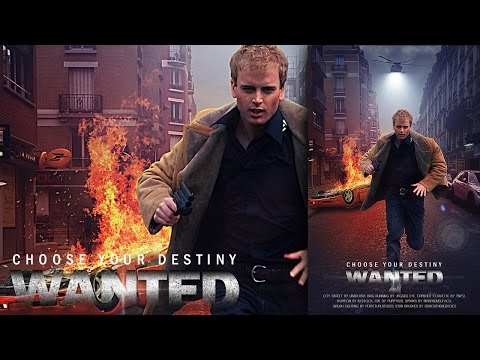
Hey everyone. In the tutorial action movie poster with light effects I'll show you how I combine the images in Photoshop to create the effect light with brushes and filters in Photoshop manipulation. And also how to choose a Color lookup that I mix with Blending mode. Enjoy and thanks for watching! Photo Credits : City Street by : https://goo.gl/3J46Yi Brig Running 1 by : http://goo.gl/eUahYb Aviation Stock11 by : http://goo.gl/e9yGHv Crashed Corvette 1 by : http://goo.gl/yZNX9Q Fire by : http://goo.gl/EOtTlF Sparks by : http://goo.gl/LbpzS1 Brushes : Brushpack Lighting by : http://goo.gl/0vmXuY Strar brushes by : http://bit.ly/1R2Sguc Follow Us : Facebook : http://on.fb.me/1XLybYV Twitter : http://bit.ly/1RlY5Qn Web : http://bit.ly/1OxA0Uf Music Credits : All This - Scoring Action by Kevin MacLeod is licensed under a Creative Commons Attribution license (https://creativecommons.org/licenses/by/4.0/) Source: http://incompetech.com/music/royalty-free/index.html?isrc=USUAN1300001 Artist: http://incompetech.com/ Photohop Tutorials Movie Poster : http://bit.ly/1phkZQc Photoshop Tutorials Poster : http://bit.ly/1Q7bQTb Photoshop Tutorials Flyer CMYK : http://bit.ly/1WVQjOH

Continue this lesson in the app
Install CourseHive on Android or iOS to keep learning while you move.




![SEO Course [2026 Updated]](https://i.ytimg.com/vi/HeeUHugrG5U/hqdefault.jpg)
