
Summary
Keywords
Full Transcript
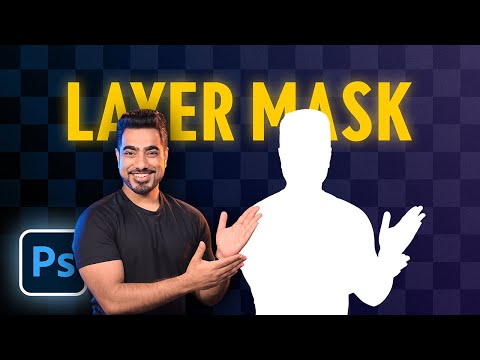
► Join PiXimperfect Pro - The Ultimate Photoshop Training Course: https://pix.live/pro Discover what Layer Masks are and jump straight into real-world examples to learn the best ways to use them in Photoshop! Starting from basic concepts to fundamental techniques and best practices, this lesson covers every aspect of Layer Masking for beginners. I hope you enjoy this tutorial. Thank you so much for watching :) ► TIMESTAMPS: 00:00 What Are Layer Masks? 02:58 Important Downloads & Announcements 03:29 Why Use A Layer Mask? 03:47 Reason 1: Non-Destructive Abilities 07:54 Reason 2: Compatibility with Non-Raster Layer 11:26 Linking & Unlinking Layer Masks 13:33 Turning Off and On 14:28 Mask Properties: Feather 17:41 Mask Properties: Density 19:44 Duplicate Masks 21:35 Problem with Copying Masks 23:37 Double Masking 26:44 Image as a Mask 28:28 Concept Recap ► CHECK OUT ENVATO ELEMENTS: https://pix.live/envato ► CHECK OUT THE OFFICIAL PIXIMPERFECT COMPOSITING PLUGIN: https://pix.live/compositing ► RECOMMENDED SOFTWARE & CREATIVE RESOURCES: ✅ Official PiXimperfect Compositing Plugin: https://pix.live/pixcomposite ✅ The Best A.I. Powered High-End Portrait Retouching Plugins: https://pix.live/retouch4me ✅ The Best Professional Plugin for Color Grading: https://pix.live/infinitecolor ✅ The Best Professional Plugin for Skin Tones: https://pix.live/unify ✅ Best Plugin for Landscape & Astrophotography: https://pix.live/propanel ✅ Try Photoshop for Free: https://pix.live/photoshop ✅ The App I Use for YouTube Growth: https://pix.live/ytapp ✅ Music Used in PiXimperfect Videos: https://pix.live/music ► THE GEAR I USE: ✅ My Graphic Tablet: https://pix.live/wacompro ✅ Recommended Budget Tablet: https://pix.live/wacomlite ✅ Primary Microphone: https://pix.live/mic1 ✅ Budget Microphone: https://pix.live/mic2 ✅ Audio Interface: https://pix.live/audiointerface ✅ Camera: https://pix.live/camera ✅ Lens: https://pix.live/lens ► PIXIMPERFECT MERCH STORE: https://teespring.com/stores/piximperfect ► PIXIMPERFECT ACTIONS: https://gumroad.com/piximperfect ► SHARE: https://goo.gl/IUhnUl ► DOWNLOADS: 1. Practice Files: https://bit.ly/44aHY3c 2. Finished PSDs: https://bit.ly/40HIEKD (Only for PiXimperfect Patreon Family) ► LET'S CONNECT: Instagram: https://www.instagram.com/piximperfect Facebook: http://facebook.com/piximperfect Twitter: https://twitter.com/piximperfect

Continue this lesson in the app
Install CourseHive on Android or iOS to keep learning while you move.





