
Summary
Full Transcript
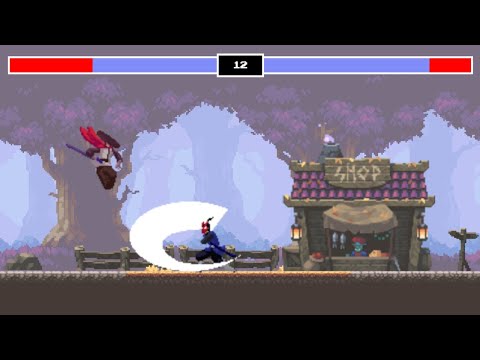
My premium game dev courses: https://chriscourses.com/ Here you'll learn how to create your very first fighting game with JavaScript and HTML canvas. We'll start by coding some basic fighting game mechanics, then we'll take things to the next level by adding in professional sprite sheets and graphics. Google Drive Assets: https://drive.google.com/drive/folders/1569Y7WYX-aQf6LKstJtpuWQD0ylWxZ4P Finished Demo: https://chriscourses-fighting-game.netlify.app/ Source Code: https://github.com/chriscourses/fighting-game Oak Woods Assets: https://brullov.itch.io/oak-woods Fighter Asset #1: https://luizmelo.itch.io/martial-hero Fighter Asset #2: https://luizmelo.itch.io/martial-hero-2 0:00 Introduction 0:43 Project Setup 8:07 Create Player and Enemy 28:00 Move Characters with Event Listeners 50:12 Attacks 1:11:31 Health Bar Interface 1:34:27 Game Timers and Game Over 1:51:27 Background Sprite 2:05:10 Shop Sprite with Animation 2:23:08 Player Sprite - Idle 2:36:24 Player Sprite - Run 2:43:39 Player Sprite - Jump 2:58:03 Player Sprite - Attack 3:01:53 Enemy Sprite - Kenji 3:07:04 React to Sprite Attacks 3:20:32 Receive Hit Animation 3:29:11 Death Animation 3:35:32 Interface Design and Animation 3:49:55 Push Live 3:55:57 End

Continue this lesson in the app
Install CourseHive on Android or iOS to keep learning while you move.





