
Summary
Keywords
Full Transcript
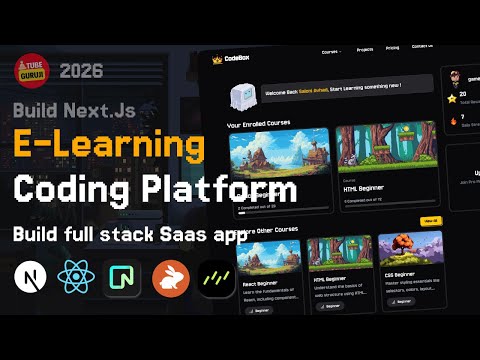
Learn how to build a Full Stack E-Learning Coding Platform with Next.js, React, Neon, Clerk and CodeRabbit. Step-by-step tutorial for creating a modern coding education app! 📜 Clerk: https://go.clerk.com/UsvFQQ5 🔗 CodeRabbit: https://coderabbit.link/tg 📦 Neon DB: https://fyi.neon.tech/tg10 📜 Eraser Docs: https://dcmk.short.gy/codebox-doc 🚀 TubeGuruji Pro: https://www.tubeguruji.com 👉 Free App Demo : https://dcmk.short.gy/codebox-demo 🔥 FreeUIUX – AI UI/UX Mockup Generator for Web & Mobile: https://www.uiuxmock.com/?ref=youtube 🔥 Create stunning AI short films with Kravix Studio – Free to try! 👉 https://kravixstudio.com?ref=ai-ppt-gen 👉 Watch AI Website Generator Full Stack NextJs React App : https://youtu.be/tKDPE219kCE 🎯 What You'll Learn: • Next.js 16 + React 19 with TypeScript • Neon Postgres + Drizzle ORM • Clerk authentication & billing integration • CodeRabbit AI coding assistant integration • Pixel-style game-like UI for interactive learning • Course creation, enrollment, and progress tracking • Real-time coding challenges & exercise completion • Plan-based feature gating for premium courses • Leaderboard & gamified XP system • Smart caching and performance optimizations • SO MUCH MORE! Source Code 🔗 Free Resources : https://dcmk.short.gy/codebox-resources 🔗 Source Code: https://dcmk.short.gy/codebox-source-code 🔗 Free Assets : https://dcmk.short.gy/codebox-free-assets 🔗 Member Only Source Code : https://www.tubeguruji.com/course-preview/build-full-stack-e-learning-coding-platform-using-nextjs-react-neon-coderabbit 📢 Stay Connected: 💻 Join our Discord Community - https://discord.gg/DJUpW5bMtz 🖼️ Follow us on Instagram:https://www.instagram.com/tubeguruji 💼 Business Inquiries: [email protected] Join this channel to get access to perks: https://www.youtube.com/channel/UC33Tc4FCgd_to314_b2hNTg/join CHAPTERS 00:00:00 – Introduction to Full Stack E-Learning Coding Platform 00:09:24 – Creating a Next.js App & Initial Project Setup 00:23:35 – Integrating CodeRabbit AI Code Reviewer 00:31:09 – Implementing Dark Mode Theme in Next.js 00:34:34 – Building a Pixel-Style Game Landing Page 00:56:59 – Adding Gmail & Email/Password Auth with Clerk 01:13:03 – Setting Up Neon Postgres SQL Database 01:35:22 – Building the Dashboard Layout (React + Tailwind) 02:12:36 – Creating the Courses Module (Full Stack) 02:36:52 – Designing the Course Details Page 03:36:45 – Implementing User Course Enrollment System 04:01:02 – Building the Coding Exercise System 04:18:54 – Displaying Exercise Content in Playground Workspace 05:01:56 – Adding an In-Browser Code Editor (Monaco/CodeMirror) 06:03:06 – Bonus Chapter: Extra Features & Improvements 06:11:04 – Updating Dashboard + Tracking Course Progress 06:37:43 – Creating Pricing Page with Plan-Based Access 06:56:16 – Deploying the Full Stack E-Learning App DISCLAIMER: This video is sponsored. This video is made for informational and educational purposes only. Copyright Disclaimer under section 107 of the Copyright Act 1976, allowance is made for “fair use” of this video for education purposes.

Continue this lesson in the app
Install CourseHive on Android or iOS to keep learning while you move.





