
Summary
Keywords
Full Transcript
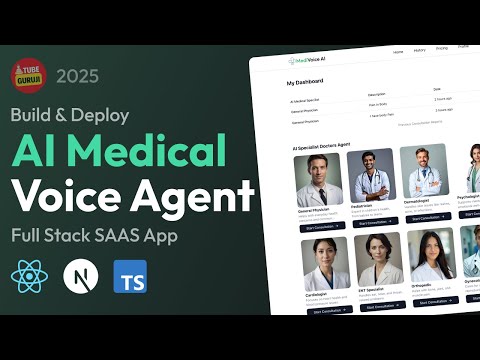
🩺 Build and Deploy a Real-Time AI Medical Voice Agent using Next.js, React, TypeScript, AssemblyAI, Clerk, and Neon DB! In this full-stack SaaS tutorial, you'll learn how to create a voice-powered virtual doctor that understands symptoms and responds in real time using AI. Integrate real-time speech-to-text, authentication, and secure database storage. Perfect for building cutting-edge AI healthcare apps with voice recognition, Next.js AI, and React AI tools. 🚀 Perfect for building AI SaaS healthcare apps — full walkthrough included! 📜 Clerk Docs: https://go.clerk.com/zIDA7q9 🚀 AssemblyAI: https://dcmk.short.gy/assemblyai 📦 Neon Docs: https://fyi.neon.tech/tg9 🔥 Tubeguruji Pro: https://www.tubeguruji.com 📜 Eraser Doc : https://dcmk.short.gy/medical-agent-doc FreeUIUX – AI UI/UX Mockup Generator for Web & Mobile: https://www.uiuxmock.com/?ref=aimedicalyoutube 🔗 Resources & Links: 🌐 Live Demo: https://ai-medical-voice-agent.vercel.app 📂 Free Resources: https://dcmk.short.gy/ai-agent-free-resources 💻 Source Code: https://dcmk.short.gy/medical-agent-source-code 📂 Free Assets: https://dcmk.short.gy/ai-medical-free-assets Missing Video Part: https://dcmk.short.gy/ai-medical-free-assets 🚀 Members Only Source Code: https://www.tubeguruji.com/course-preview/build-and-deploy-ai-medical-voice-agent-with-nextjs 📢 Stay Connected: 💻 Join our Discord Community - https://discord.gg/DJUpW5bMtz 🖼️ Follow us on Instagram: https://www.instagram.com/tubeguruji 💼 Business Inquiries: [email protected] 📸 Instagram: https://www.instagram.com/tubeguruji 👉 Don’t forget to Like 👍, Subscribe 🔔, and Share! Let me know in the comments if you have any questions! 💬 Join this channel to get access to perks: https://www.youtube.com/channel/UC33Tc4FCgd_to314_b2hNTg/join CHAPTERS 00:00:00 Introduction & Demo 00:09:34 Project Setup 00:19:21 Landing Screen 00:26:34 Application Workflow 00:28:49 Database Setup 00:36:49 Authentication 01:04:16 Dashboard Home Screen 01:33:33 Add Symptom & Notes 01:41:12 Medical Voice Agent Screen 01:59:53 Create AI Medical Voice Agent 02:32:42 Enable Multiple Medical Voice Agent 02:40:41 Generate Medical Report 02:54:17 Display History 03:04:27 Display Medical Report 03:12:22 Subscription Billing Table

Continue this lesson in the app
Install CourseHive on Android or iOS to keep learning while you move.




