
Summary
Keywords
Full Transcript
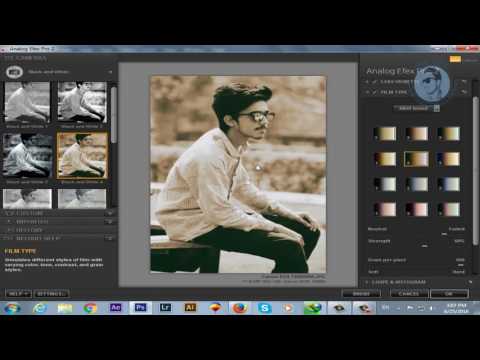
The Google Nik Collection contains some of the most important and best-loved plug-ins in the world of image-editing. Until recently, you bought them as a suite, direct from Google, for £95 (around $150), but Google then stunned the creative community by making them completely free. They work on both Windows and Mac, and they work as individual plug-ins for Photoshop, Elements, Lightroom and – for those still using it – Apple Aperture. In alphabetical order, they are: Analog Efex Pro 2: This is the only plug-in produced by the Google team – all the rest were inherited from Nik Software when Google bought that company out. Analog Efex 2 is designed to replicate the look of old films and darkroom techniques by adding grain, fade, borders, like leaks, toning, cross processing effects and more. Color Efex Pro 4: On the surface, this looks like little more than a large collection of filter effects, some more useful than others. In fact, each one can be customised and controlled and they can be ‘stacked’ and saved as ‘recipes’. Color Efex Pro 4 is an effect generator and image editor in its own right. Dfine 2: This is a noise reduction tool which analyses the noise properties of the image and then applies noise reduction in a two-step process – you can use automatic or manual noise analysis and you can use the default noise reduction settings or adjust contrast and colour noise manually. HDR Efex Pro 2: HDR Efex Pro 2 uses tone mapping tools and a variety of HDR algorithms on either single images or HDR exposure series, which it can merge with automatic alignment, ghost reduction and chromatic aberration removal. Sharpener Pro 3: Like Dfine 2, Sharpener Pro 3 is an image enhancement plug-in rather than an effects tool. It takes a scientific approach to sharpening that will appeal to purists, separating capture sharpening (overcoming camera/lens softness) from output sharpening (preparing images for different print/display devices). Silver Efex Pro 2: A powerful black and white conversion tool that simulates the appearance of classic film emulsions and darkroom printing techniques. It offers a range of preset effects backed up by powerful and extensive manual adjustment tools. Viveza 2: Viveza offers the equivalent of dodging and burning in black and white, but for colour photos. It uses Nik Software’s control point technology to both mask and adjust areas of the image in a single operation. There’s a mixture of tools here, and some overlap in functions (Analog Efex Pro, Color Efex Pro and Silver Efex Pro can all do retro black and white, for example) and a rather curious upgrade method. Google maintains that this happens automatically in the background while the software and its host apps are inactive. If you’re not convinced, you can simply download and install the collection all over again to make sure you’ve got the most up to date version. __/LINKS\_ ► Facebook: https://www.facebook.com/tacademy/ ► Twitter: https://twitter.com/tamoorpardasi ► Google+: https://plus.google.com/u/1/+TamoorPardasiTAMOORGONDAL ► Website: http://www.tamooracademy.com/ __|Watch More Videos|_ ► Youtube Full Course https://www.youtube.com/playlist?list=PLPhZmooa6ZJ81cpCV8gLBkrNNz9PsXPMd ► Fiverr Full Course https://www.youtube.com/playlist?list=PLPhZmooa6ZJ_lF3-dQl51oyg_Ev6PU_IK ► Our Facebook group https://www.facebook.com/groups/tamoorpardasi/ ► Click to see all our videos https://www.youtube.com/channel/UC4FBX0YcuI2zJngsi9-1BdA ► Subscribe to our channel: https://www.youtube.com/channel/UC4FBX0YcuI2zJngsi9-1BdA

Continue this lesson in the app
Install CourseHive on Android or iOS to keep learning while you move.

