
Summary
Keywords
Full Transcript
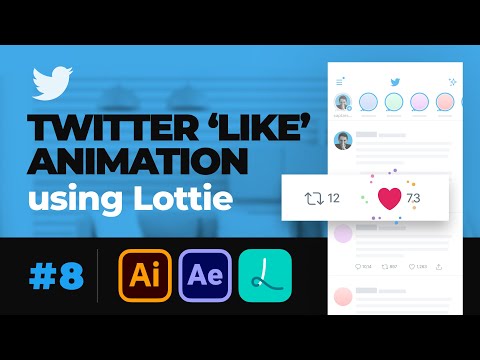
Here is a detailed tutorial of animating the 'like' Micro Interaction of Twitter using @Adobe Creative Cloud After Effects and Lottie. The one stop video you will ever need to installing the free plugin, animating and generating the Lottie asset. Have doubts? Get on a call with me: https://topmate.io/sapta Buy me a coffee: https://www.buymeacoffee.com/saptarshipr Lottie Official Page : http://airbnb.io/lottie/#/ Lottie Files After Effects Plugin (FREE) : https://lottiefiles.com/plugins/after-effects ZXP installer (FREE) : https://zxpinstaller.com/ Lottie Preview : https://lottiefiles.com/preview Other Tutorials in this Masterclass Episode 1: Basics of After Effects for Motion Design, UI Animation & Micro interaction - https://youtu.be/8XWBgvT5kfg Episode 2: UI transition & micro interaction animation Tutorial with After Effects - https://youtu.be/8XWBgvT5kfg Episode 3: Parallax Swipe interaction in After Effects for Dribbble Shot - UI Tutorial for beginners - https://youtu.be/PhB5q_4x79I Episode 4: 3D Flip Credit Card UI Animation - After Effects Tutorial - https://youtu.be/XPQxoAgTRtM Episode 5: Tap, Swipe, Scroll Gesture & masking technique in After Effects - https://youtu.be/NU-vq7xAND4 Episode 6: Page turn and flip animation for ebook app UI using After Effects - https://youtu.be/K2qw6SpIEw8 Episode 7: Import designs from Sketch, Xd, Figma & Illustrator to After Effects - Import designs from Sketch, Xd, Figma & Illustrator to After Effects My Dribbble Profile: https://dribbble.com/saptarshipr ----------------------------------------------- //ABOUT ME This is Saptarshi (a.k.a. Sapta), an engineer turned self-taught Product Designer based out of Bangalore, India. I have worked with some of the very well known startups of India and learned anything and everything that is needed to create amazing experiences for the users. I'm also an active speaker, teacher and community builder, and have delivered over 60 talks, workshops and webinars on design. In this channel, I post videos with tips, strategies, tutorials and general gyaan to scale your career in Design. If you are into it, you may want to subscribe and hit the bell icon to that you don't miss out :) ----------------------------------------------- //SOCIAL Instagram: https://www.instagram.com/saptarshiux/ Twitter: https://twitter.com/saptarshipr Dribbble: https://dribbble.com/saptarshipr LinkedIn: https://www.linkedin.com/in/saptarshipr/ Facebook: https://www.facebook.com/saptarshiux/ Medium: https://medium.com/@saptarshipr ----------------------------------------------- //MUSIC The jingles and the background score is composed by Sargam Prakash, an awesome designer and musician. Do check out his channel. Sargam Prakash: https://www.youtube.com/user/sargampr #microinteraction #lottie #aftereffects

Continue this lesson in the app
Install CourseHive on Android or iOS to keep learning while you move.





