
Summary
Keywords
Full Transcript
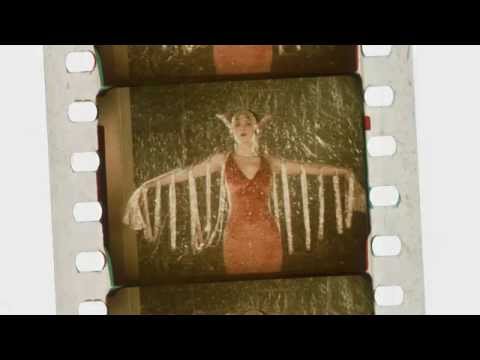
Technicolor’s two-color subtractive camera was designed by 27-year-old Joseph Arthur Ball in 1921. It used a beam-splitting prism behind the lens to divide light into two paths; half was filtered red and the other half green. These two color records were then captured onto black-and-white film one above the other, vertically flipped. Because this technique used only two color separations, the process was incapable of replicating accurate blues, purples, and yellows, although pleasing results could be obtained with careful color coordination. In making the film prints, the two color records captured by the camera were printed onto separate rolls of film, which were then treated to remove the silver image. These film strips were glued together, back-to-back, by a special cementing machine, creating a film stock with emulsions on both sides. Either side of this new thicker film was dyed the corresponding color: the red record was dyed green and the green record dyed red. This created a subtractive color print because the dyes removed certain colors from the projector’s beam of white light. These new cemented prints could be run on any standard projector around the world. This video was produced by George Eastman House as part of the http://eastmanhouse.org/technicolor100 website that celebrates 100 years of Technicolor through highlights from related collections at the museum. This project was made possible in part by the Institute of Museum and Library Services grant number MA-10-14-0234-14. http://www.imls.gov/

Continue this lesson in the app
Install CourseHive on Android or iOS to keep learning while you move.

