
Summary
Keywords
Full Transcript
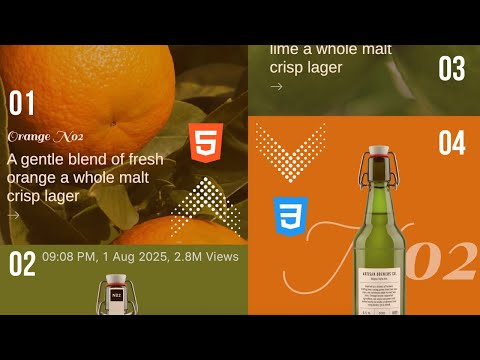
Video Title: The GSAP Secret to Effortless Split-Scroll Animations (No Advanced Skills Needed) Bring your UI to life with this creative scroll-based animation effect using G‑Sap and ScrollTrigger! In this tutorial, we’ll build a full-screen, split-screen layout where the left and right sides scroll in opposite directions — and each product section animates beautifully on hover. Inspired by premium product showcases and modern storytelling layouts, this project covers: Full HTML layout structure with two side columns Custom bottle transitions using G‑Sap timelines Scroll-based animation using ScrollTrigger Sticky sections and 300% scroll height Dynamic hover interactions and reverse bottle reveal Responsive CSS layout using Flexbox Whether you're designing a portfolio, product page, or visual story, this tutorial will teach you how to sync scroll logic with hover states and build a cinematic layout. Don’t forget to like, subscribe, and hit the bell to stay updated with more UI animation tutorials! 📸 Follow me on Instagram for more UI design & code snippets! 👉 https://www.instagram.com/pixelperfectlabs.ig CHAPTERS: 00:00 — Hook: reverse scroll + hover flip. 00:50 — HTML structure: scroll container, sticky stage, two columns. 02:34 — Right column mirror; libs loaded. 03:28 — CSS core: fonts/reset, 300vh container, sticky layout. 05:34 — Visual layers: background text, images, z-index setup. 06:55 — JS overview: G-Sap + ScrollTrigger wiring. 08:44 — Pin, scrub, and opposite scroll directions. 09:27 — Resize handling. 09:40 — Hover timelines: front/back bottle swap. 11:04 — Recap & CTA. +------------------------------+-----------------+ | SUBSCRIBE PIXEL PERFECT | +------------------------------+-----------------+ #gsap #scrolltrigger #uianimation #splitlayout #webdesign #frontenddevelopment #cssanimation #javascriptanimation #uiproject #pixelperfectlabs

Continue this lesson in the app
Install CourseHive on Android or iOS to keep learning while you move.



